The Smart Way to Buy the new iPhone
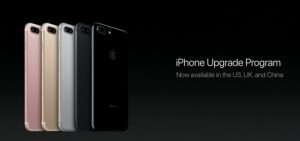 As all the hype for today’s iPhone event ramps up, I wanted to write an article about something I’ve mentioned on some videos previously. As millions of people wait in anticipation of whatever the 10th anniversary iPhone is revealed to be, I can’t tell you what the new iPhone will bring, but I can tell you the smartest way to buy it when it is released.
It seems most people believe they must buy their iPhones from their wireless carriers. In the past this was the best way to do it, as the carriers would subsidize the cost of various phones. However, the carriers would then lock subscribers into a two-year contract in order to recoup the cost of the subsidized phone. In the last two or three years, carriers have started to move away from the subsidized model and instead offer payment plans on pricey smartphones, iPhones included. AT&T calls it their “Next” program, Verizon used to call it “Edge,” but now simply calls it “device payment program,” Sprint calls it a “lease” plan, and T-Mobile “Jump”. These payment plans are generally fair in my opinion, as the carriers do not technically lock subscribers into a contract, but instead simply require the payment of the balance of the phone in the case where subscriber leaves the carrier before 24 payments are completed. There is no interest charged on the payment plan and so at the end of 24 monthly payments, the phone is paid for in full for the same cost as if it had been paid all upfront. Also subscribers have the option of trading out their phone after one year for a new phone and starting over on a payment plan.
Now while the carriers aren’t technically locking subscribers into a two-year contract, the fact that the balance of a phone on a payment plan is required if a subscriber wants to leave a carrier certainly feels like a lock-in. Wouldn’t it be great if there was a payment plan that would allow someone a way to change carriers but keep paying the installments? Actually there is! The ironic thing is that this payment plan has been around a couple of years as well, it’s just that not a lot of people seem to know about it. Apple themselves basically have the exact same payment plan as the wireless carriers offer, bundled with AppleCare+. Apple calls it their “iPhone Upgrade Program.” The key is that the iPhone you get from Apple is SIM unlocked, which in technical terms means it will work with a SIM from any carrier, but in layman’s terms simply allows for the iPhone to be used with any wireless company. So someone that buys an iPhone using Apple’s payment plan can, in fact, change carriers as they wish without losing the installment payment plan. This, of course, assumes that the subscriber isn’t on a contract with their carrier. It appears to me, however, that most people are now not on a contract since the carriers began with their payment plans a few years go.
So to sum up, by purchasing your iPhone directly from Apple using their iPhone Upgrade Plan, you get all the advantages of the carrier’s payment plans without the lock-in. Smart, no? Especially with the expected cost of the new iPhone to be higher than normal, a payment plan from Apple is probably the way to go. Let me know what you think in the comments below!
Live TV Streaming Services Making Waves
 In recent months, a variety of new and expanded services have emerged that offer traditional cable and satellite TV channels as streaming options over the Internet. With some services also offering local traditional broadcast channels as well, suddenly this new generation of streaming services are encroaching into the cable and satellite market, making “cutting the cord,” as it is popularly known, a more realistic option for people looking to reduce their TV subscription costs.
What exactly makes these new streaming services so attractive? Besides the obvious fact that TV channels previously only available through a cable or satellite TV provider are suddenly available for viewing on a variety of Internet-enabled devices, the key factor is sports. This issue has been near and dear to my heart for a few years now, and through my research I learned that I was not alone in this. The lack of live sports on streaming services has made cutting the cord difficult for many people up to this point.
To use me as the example, the sporting events that I mostly watch (Cardinals baseball and Blues hockey), are primarily available on Fox Sports Midwest (with a smattering of hockey games on NBC Sports Channel, plus some sporting events on ESPN, etc.). Without this channel as a streaming option, I had to subscribe to a cable or satellite TV provider in order to watch the games I wanted. Now, I have the option to subscribe to a streaming service that offers live TV channels such as Fox Sports Midwest (in my region) and let go of my cable subscription. So yay! I’m ecstatic at the thought!
Examples of some of these new “live TV” streaming services include Sling TV from Dish Network (they run a lot of commercials), DirecTV Now from AT&T (they’ve recently started running commercials), PlayStation Vue, YouTube TV, and the most recent entry is Hulu with Live TV. In fact it was the new Hulu with Live TV that made me really take notice. I had been considering trying out the Sling TV service, but as attractive as their pricing appears at first ($20/month for their “Sling Orange” package and $25/month for their “Sling Blue” package), in order to cover my sporting needs, I would need to get both packages as some sports channels are only offered on one of the packages. So the total cost would be $45/month, which is a little higher than what I’d like to spend. In addition, a nice option of a “Cloud DVR,” which would let you record shows for later viewing and store them online is an additional $5/month. So now we’re at $50 a month and for those who want to cut the cord, this pricing level is starting to get out of hand.
When I found out about the Hulu with Live TV service that was just recently released into “beta” in May, it intrigued me. At first glance the cost is higher than a Sling TV package, starting at $39.99/month (or $44.99 if you want the commercial free option – which I want). However, with this one package all the sports channels I want are included, as well as a nice selection of other TV channels that I have an interest in such as the History Channel, Food Network, and National Geographic among others. In addition, Hulu also includes a Cloud DVR option at no additional cost. Finally, Hulu with Live TV also includes some local TV stations as well. In some markets, all the major networks (ABC, CBS, Fox, NBC) are covered. In my market of St. Louis, only the CBS and Fox affiliates are currently included, but from what I’ve read, Hulu plans to offer all network affiliates in all markets as negotiations are completed over time. I like this feature because as far as streaming services have come, it is still nice to be able to watch certain network TV shows live and/or record them for viewing a short time later (most show episodes that are available on a streaming service are not available until the next day). Up until this time, a cord-cutter’s only options for getting local channels without a cable or satellite service were antenna-based devices and services that while functional, were often tricky to set up (antennas can be a pain) or required additional monthly costs for full functionality (such as expanded guides).
So all that being said, the monthly cost of $44.99 is still a little high according to my own criteria. However, here’s the kicker: I’m already paying $11.99 for the standard Hulu streaming service now. So if we account for that cost already, I will only be paying an additional $33/month to get not only all my sports options, but also a nice selection of TV channels that I like plus local stations that will allow me to eliminate messing with my antenna-based Tablo device (as soon as we get our local ABC and NBC affiliate as part of the service). For the entire package, this seems like quite a reasonable price and I still get access to the Hulu streaming library that I had before. Plus I can drop my cable TV package that is about twice the cost currently and has a horrible DVR (yes, I’m looking at you, Charter). So look for me to provide a review of Hulu’s new Live TV service very soon, as I am literally signing up for the service this weekend!
As for which service you should choose, I’ll link you to an article that does a very good job of comparing the different live TV streaming services and explaining which ones offer the best options depending on your needs. However, the speed in which these services are evolving is quite fast. If you are reading this article even just a few months from when I posted it (July 2017) then there is a good chance that competition has prompted some of the providers to improve their offerings and/or lower their prices. So make sure to review your options before making a choice.
If you have any questions about streaming services or any technology topic, please feel free to ask me on my Question and Answer section of my web site!
The One Question That Could Save a Business
 I need your help! Please share this article with anyone you know who is a:
- Commercial Banker
- Business Lawyer
- Accountant or CPA
- Commercial Insurance Agent
- Commercial Real Estate Agent
- Provides any type of professional service to business clients
It doesn’t take long to find a news article detailing the latest technology breach or reported security vulnerability. Plus new technologies are constantly evolving. As technology continues to permeate every aspect of our society, it is imperative that business owners stay up with new advances and keep aware of security threats. Of course, this can be a daunting task. Even for a technology professional like myself, it takes a lot of time and research to keep up with all the new technologies being released and all the security threats that become known. Busy business owners can’t be expected to run their companies and also keep up with technology. So they should turn to qualified professionals to help them make sure their technology doesn’t fall behind and stays secure – just like they turn to attorneys, CPAs, and other business professionals to help them manage other aspects of their company.
However, in this age of technology it may come as a surprise that many businesses do not have adequate technology help. Even worse, a lot of business owners simply don’t realize they need it. I’ve been talking with a lot of business professionals this year in an effort to educate them on the importance of making sure their clients work with a qualified technology professional. For example, commercial bankers want to make sure their clients are profitable so they can pay off their loans. If their clients have a professional technology advisor, they are more likely to be using technology to their best advantage and sufficiently protecting themselves from security threats. In both circumstances, this should positively impact the bottom line of a business. It is in the best interest of a commercial banker, as well as other professionals who have business owners as clients, to make sure their clients’ business technology infrastructure is solid.
The good news is that you do not even need to be a professional to help a business owner out. As I’ve been telling those whom I’ve talked to, all somebody needs to do is ask one simple question. This question could prevent a business from making a serious technology mistake or being vulnerable to a security breach. It’s not a stretch to say that a single technology disaster can cause a company to fail, so this one question could literally save a business. The question is simply put, “who is your technology advisor?” In asking a business owner this question, the odds are high that they don’t have one. But it is important to ask the question in the right way. You must say “who is your,” not “do you have a” technology advisor. It’s easy to simply say no to the latter question. But by asking “who is,” it makes business owners consider why they do not work with a qualified technology professional. When a business owner answers that they do not have a technology advisor, you should advise that they find and hire a reputable technology expert. Of course, I would love it if you referred me as someone they can trust with their technology, but I would be happy if you simply helped them out and referred anyone you know that does technology consulting and support for businesses. The more businesses that work with a qualified technology professional, the better it is for all of us.
The bottom line is this: it is the year 2017 and if you are not thinking about your technology, you are not thinking about your business. Help a business owner out and ask them the one question that could save their business. And if you have any questions about technology, please feel free to ask me and I’ll be happy to help you out.
The 15 Most Important Technologies of the Last 15 Years – #1: The iPhone
I’m sure this is probably no surprise to most of you. It really was a no brainer to me what the most important technology of the last fifteen years was. The hard part was filling in the other fourteen! It truly goes without saying, but I’m here to say it anyway: the iPhone impacted the computer industry and our society like few other technologies have in history. It is the clear example of what a disruptive technology is. It has defined the last 10 years of technology and along the way amplified the effect of many of the technologies on my list of most important technologies.
Of course, we all know the iPhone was not the first smartphone. However, the iPhone completely changed the game. Before the iPhone, the smartphone was the exclusive domain of corporate employees and tech-savvy individuals. After the iPhone, the smartphone became a staple of everyday life. The iPhone kicked off the mobile device revolution and in doing so, has put incredible power in the palms of our hands.
- Social networking would not be so social without mobile devices. In fact, much of the growth of social media can be attributed to the rise of the iPhone, and still to this day the iPhone is often regarded as the dominant platform among social networking users.
- The iPad and the end of the PC era may not have come to fruition without the iPhone clearing the way. People may not have been as receptive to tablets had they not fell in love with the iPhone.
- The power of Google is magnified when the world’s information is literally at our fingertips, no matter where we may be.
- The mobile device revolution has put a GPS device in nearly all of our hands, making us safer.
- The incredible growth of YouTube and other media sharing services is largely due to the mobile device revolution, along with the significant increase in the general consumption of digital media in all forms.
The iPhone turned out to be the computing device that we all wished we had, yet didn’t know what we were missing until we had one. It redefined what computing could be in the terms of ease of use and through its mobility made it more powerful. It has literally impacted nearly every aspect of our society and it is no stretch to say that the iPhone has changed the world. Because of this tremendous impact, the iPhone is easily the most important technology of the last fifteen years.
How has the iPhone and the mobile device revolution changed the way you work and play? Also, now that my countdown is complete, what are you thoughts on the entire list? Did I miss anything? Should the order have been different? Comment below and share your thoughts!
The 15 Most Important Technologies of the Last 15 Years – #2: Social Networking and Facebook
There’s no doubt that the Internet impacted society from the moment it went mainstream. However, I believe that we can separate the history of the Internet into two segments thus far: the time before social networking and the time after. Social networking has had a truly significant impact in the way we humans interact and share information with each other, doing so just as easily with people on the other side of the world as we can with people in our neighborhood. It has given us all a voice and we can now reach the world with our thoughts and ideas. Because of this sudden ability for ideas and information to spread, social networking has touched virtually every aspect of our lives from entertainment to politics and everything in-between, enabling the starting of movements and the rise to fame of otherwise regular people.
While all social networking platforms have certainly contributed to this seismic shift in our society, it is clear that none have had the individual influence that Facebook has had. Facebook brought with it an elementary and welcoming interface to a fledgling social networking scene that desperately needed simplification in the mid 2000’s. While tech-savvy individuals had no trouble with other popular social networking platforms, average people had little interest in the arcane interface of Twitter or the entertainment focused MySpace. It was Facebook that brought social networking to the masses and is now by far the largest and most dominant social networking platform, second only to Google in visits. While other social networks gain popularity here and there, Facebook has remained the one true constant in the social networking world and it is the platform that others measure themselves against. With nearly 2 billion users worldwide, it is no wonder that the social networking sun rises and sets with Facebook.
How has social networking changed your life? Can you imagine living without it today? Comment below and share when you first started using social networking.
The 15 Most Important Technologies of the Last 15 Years – #3: The iPad
The sudden success of Apple’s iPhone allowed Steve Jobs to bring to fruition his original concept at a mobile device – the iPad. Few people know that it was the concept of a tablet device that Steve Jobs had initially envisioned, but during early development decided that a touch-based smartphone would be better received in the marketplace. For all the success of the iPhone, it was the eventual release of the iPad that has had a profound impact on the personal computer industry, much as Steve Jobs anticipated it would.
The iPhone definitely kicked off the mobile device revolution, but the commodity computing device for most people was still the personal computer, of which Microsoft’s Windows operating system was the dominant platform. Once the iPad was introduced, however, the marketplace quickly and decidedly shifted away from traditional laptops to Apple’s new tablet device. At first traditional computer manufactures dismissed at the idea of the “iPad effect” hurting their marketshare. But within three years, the PC industry saw its largest sales drop in recorded history and many competing tablets and tablet-like devices started appearing. It was clear the iPad had ended the PC era and ushered in the New World of Technology. Today, the impact of the iPad is undeniable across the computing industry as touch enabled devices are the norm, yet companies are still trying largely unsuccessfully to replicate the simplicity and power of Apple’s iPad.
How did the iPad change the way you use computers? Comment below!
The 15 Most Important Technologies of the Last 15 Years – #4: Google
As the World Wide Web grew at hyper speed in the mid 1990’s, people quickly realized just how difficult it was to find information. Early search engines like Yahoo and Alta Vista filled in that gap, but there was still plenty of room for innovation to improve the results of those searches. A little startup called Google emerged in the late 1990’s, with the first version of their system housed entirely in a garage. Google steadily gained users over the next few years due to its simplicity and quality of search results. However, it wasn’t until 2001 that Google hired their first CEO and 2003 that they moved in to their current headquarters. As the profitability from their AdWords product piled up, Google became the dominant search engine in the mid-2000’s. Now Google is the most visited site on the Internet and the word has become a verb. “Google it” is now a common part of our language.
The simplicity to which we can find the relevant information we are seeking has been the secret to Google’s success. All the information in the world isn’t useful to us if we can’t find it quickly and easily and Google has made it possible to do just that, changing the world in the process. Literally the world’s information is only a Google search away, but that has only been a reality in the last fifteen years. I think it is fitting that there’s not much else to say about Google because what they provide to us is so simple and important, we almost take it for granted.
Can you imagine life without Google? Do you remember the first time you used Google? Comment below and let us know how Google changed the way you search for information online.
The 15 Most Important Technologies of the Last 15 Years – #5: The iPod and the iTunes Store
In the mid 1990’s the MP3 digital music format quickly became popular with music junkies and tech-savvy individuals everywhere. Music piracy suddenly became extremely easy for anyone with a computer and a high speed Internet connection, such as those available on college campuses, much to the chagrin of the record industry. Still, people wanted to use the MP3 format for legitimate purposes and one of those uses included taking their music with them. A fledgling market of portable MP3 players started cropping in the late 90’s, but the market for these devices was limited to tech-savvy individuals because the features and ease-of-use of these early versions were not so great.
When Apple introduced the iPod in the fall of 2001, many industry experts scoffed at the device, thinking it wouldn’t be successful because they thought it was too expensive and it lacked Windows compatibility. However, the simplicity and large storage capability of the original iPod made it a hit not only with Macintosh users, but also Windows users who quickly developed hacks and workarounds to make the Apple music player compatible with their computers. Apple quickly followed up with an official Windows-compatible version the next year and two years later introduced the iTunes store. It was this one-two punch of a simple and powerful portable music player along with the ease of buying legally licensed music that spring-boarded digital music into the mainstream. In doing so, Apple fundamentally changed not only the record industry, but also our expectations of all forms of media. Now portable digital media is commonplace across not only music, but also books, movies, and TV shows. Without the combination of the iPad and iTunes Music Store, we may live in a very different world today when it comes to digital media.
Did the iPod and iTunes change the way you listened to and bought music? Comment below and share when you first became introduced to digital music!
The 15 Most Important Technologies of the Last 15 Years – #6: GPS Navigation
The first satellite that formed our modern GPS system was launched in 1989 and the system was declared fully operational in 1995. However, while civilians could use the GPS system, the accuracy was intentionally degraded for “national security” purposes, which practically limited use to government agencies. As the national security implications were reconsidered, in the year 2000 intentional degradation to civilian use was ended, making GPS much more useful for common purposes. Within a few years, affordable GPS handheld and in-car navigation systems started to become commonplace.
Suddenly the way we navigated started transforming. No longer did we need to write down vague directions or buy maps when traveling. Our navigation systems could tell us how to get virtually anywhere and how long it would take to get there. This made travel easier but also safer, since we knew where we were going and getting lost was not the problem it used to be. Soon after, the mobile device revolution brought GPS along with it. By recent estimates nearly 80% of Americans own a smartphone, so by association GPS is virtually in everyone’s hands today. With how easy GPS navigation makes traveling and to the extent it keeps us safer, it is hard to imagine living without it.
When did you first start using GPS navigation? Do you go anywhere without it now? Comment below and share your experiences!
The 15 Most Important Technologies of the Last 15 Years – #7: YouTube
Video had been part of the Internet virtually since it went mainstream in the mid 1990’s. Of course, since dial-up was the cutting-edge technology of the time, video was more of a novelty than a full-fledged citizen of the Information Superhighway. As high-speed Internet became a reality, video started to become more and more of a feature of online life. However, the only people and companies using it were those with an advanced knowledge of the technology required to make video work online and with the resources to run servers that could handle the fairly heavy needs of a video stream.
Twelve years ago YouTube changed all that. Suddenly, anyone with a video camera (and later a smartphone) could upload and publish their videos for all the world to see. In about a year YouTube was one of the fastest growing sites on the Web. Google recognized the enormous potential of video sharing and purchased YouTube only about a year and a half after the first video was uploaded. Today, YouTube is the third most visited site on the Internet after Google and Facebook. By providing a centralized platform for anyone to upload and share videos, YouTube changed how we consume content online and also what kind of content we see. By democratizing video sharing, YouTube nearly singlehandedly created the viral video phenomenon and has made stars out of ordinary people. Besides pure entertainment, people today use YouTube to learn how to fix things, how to apply makeup, how to make crafts, and just about anything they need to know. The scale that YouTube has made video accessible to us all is hard to fathom, which is why it is one of the most important technologies of the last fifteen years.
How big a part of your Internet experience is YouTube? Have you shared videos on YouTube? Comment below!