
Tech Toys
Turn an Old iPhone or iPod Touch into a Free Security Camera
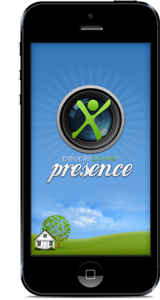 It’s amazing to see just how many old iOS devices people have lying around. The rapid pace of The New World of Technology has relegated many older iPhones, iPod Touches, and even some iPads to dust-collection status. These devices are often perfectly good but newer devices are just so much faster and offer more features that their owners simply have little need to use their old devices. Selling them is often a pain, so they just sit around unused. Wouldn’t it be nice if you could find a use for your old iDevice and help protect your home or loved ones at the same time? A company called People Power has given you the power to do just that.
People Power has developed a free App called Presence which turns old iDevices into a Wi-Fi video camera that can be viewed from anywhere in the world. Simply install Presence on the devices you want to be used as cameras as well as the devices you would use to view the video feed from. Sign up for an account and log into the account with all your devices. You can then use the App on one device to view the video feeds from the other devices. Since the video feed can be connected from anywhere on the Internet, you can check in on your house anytime and from anyplace you want (assuming you have Internet access, of course). You can also set up motion-detection alerts to inform you when a camera detects motion.
The fact that the Presence App and service are free is nice. But there are some downsides. Obviously, if you don’t have any spare iOS devices, this App doesn’t help you. However, the low price of old iOS devices just might make it worthwhile to buy some for use as video cameras. Also, you will need to find a way to mount the devices and also supply power to them as their batteries will run out quickly. There are options out there that should make doing this simpler, but it does restrict you a bit as to where you can place the iDevice cameras.
Overall, this a good example of putting old technology to good use. So if you have some older iDevices lying around, give the Presence App a try and let me know how it works out for you.
Holiday Tech Toys 2012!
iPad Mini/iPad
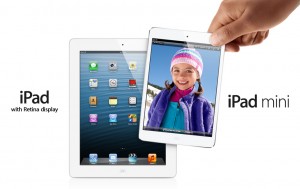 The iPad will no doubt be a hot gift this year as it has been every year since it was introduced. However, the smaller and lower cost iPad Mini may be the most popular gift of the season, bar none. As I mentioned in my previous article, if the iPad Mini becomes the “iPad for Kids”, the sky is the limit for how many will be sold this holiday season – and into the future.
A few of words of advice: please make sure to buy any Apple product from an authorized Apple dealer. Scams, especially online, are rampant. Apple keeps tight control over what their dealers can sell their products for, so if the price seems too good to be true, it probably is. Availability will be very tight this holiday season so make up your mind right now if you want to buy an iPad Mini as a gift or otherwise, and start shopping right away to make sure you can find one before December 25th! Finally, if the person you’re shopping for wants an iPad, make sure you buy an actual Apple iPad. A tablet by any other name is just not the same thing!
iPhone/smartphones
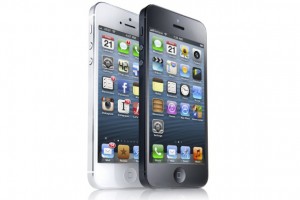
I generally don’t recommend that people buy smartphones as gifts. There are just too many options out there to accurately choose a model that another person will really be happy with. The one exception (or the rule, depending on your viewpoint), is the iPhone. If the person you’re buying for has asked for an iPhone, then go ahead and get them an iPhone 5. It’s a much simpler decision than with other smartphones. Otherwise, I recommend buying a gift card so that the person can pick out their own phone. And just as with the iPad, if someone wants an iPhone, get them an iPhone. No other smartphone will do.
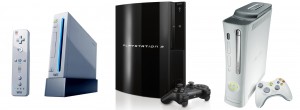
Video Game Consoles
Video game consoles are still popular gifts and this year Nintendo has released their new “Wii U” console. It is also a hot item this year, so if you want to buy one, plan on doing it sooner than later. The old Wii is also still available, but be careful on buying an old Wii as a gift, unless you are very certain that is exactly what they want.
The next-generation Microsoft XBox and Sony Playstation models are not due until sometime next year, probably around time for the 2013 holidays. That makes buying an XBox 360 or Playstation 3 for this holiday season an iffy proposition. One one hand, getting a year or two of use out of the current console may be a worthwhile investment for some families. On the other, if the recipient is going to want a new console when they are released next year, then maybe it would be worth saving the money to put towards a new console for the next holiday. Of course, this assumes that Sony and Microsoft don’t run into any production delays and actually do ship new consoles next year.
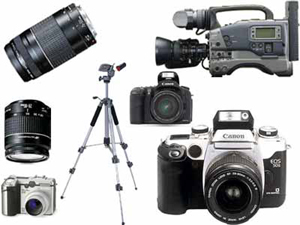
Digital Cameras/Camcorders
If social media has taught us anything, it is that people love to take pictures and videos and share them. Digital cameras and camcorders are popular technology items, but they are difficult to buy as gifts. In the last couple of years, the quality of smartphone cameras has increased to the point where they rival low-end digital cameras and camcorders. So many people are using their smartphones more for the quick pictures and video. Those who want something more advanced are usually going to be fairly particular about what they want. My advice is to purchase a gift card so that those on your gift list can get exactly what they want.
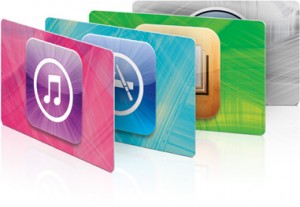
iTunes/Apple App Store Gift Card
Apple’s iTunes Store is by far the largest music retailer in the world. Pretty impressive considering the iTunes Store is not quite 10 years old! The reality is that if you want to buy someone music as a gift, an iTunes gift card is a very safe bet. But increasingly iTunes gift cards are being used to buy Apps in the Apple App Stores. As Apple’s iOS devices (iPhones, iPads, and iPod Touches) have exploded in popularity, Apps are a hot item. Apple Macintosh owners can also purchase Mac Apps through the Mac App Store, as well as digital books from Apple’s iBook Store.
In addition, the number of kids that are App consumers is booming as well. The reality is that many kids are more interested in low-cost video game Apps on their iOS devices than they are in the much more expensive video games for their Xbox, Playstation, or Wii. Parents certainly like the fact that kids can buy games that only cost a few bucks as compared to $20-$50 per game for the consoles. So considering that one iTunes or App Store gift card can be turned into many different gifts, it is no wonder that Apple gift cards are on almost every kids’ wish list.
Just to be clear, it doesn’t matter if the gift card says “iTunes”, “App Store”, or “iBooks”, they can be used interchangeably. Apple does not distinguish between purchases made on the iTunes Store, the iBook Store, or their iOS or Macintosh App Stores. The gift card credits can be used on any store. You may also want to make your gift recipient aware of that fact.
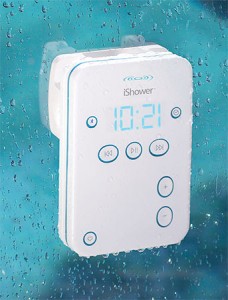
iShower
One of the most tragic things that can happen to an electronic device is getting wet. Liquid damage is almost always fatal to things like iPods and iPhones. But people want to listen to music from these devices wherever they are at, including poolside or in their bathroom. the iShower is a remote speaker system that is water-resistant. This allows people to keep their devices safely away from water while still streaming music from their device. As the name implies, it can even be used in the shower.
iRadar
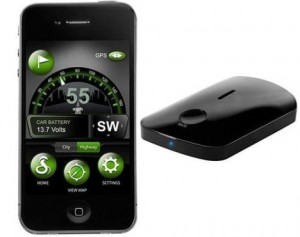
One of the hot trends in electronic devices is smartphone integration. By integrating a device with a companion App, users can get highly advanced functionality without a highly complicated interface. One of the best examples I’ve seen of this is the iRadar. The iRadar itself is a highly functional radar detector, but with almost no buttons or controls on the device itself. Instead, most of the control and operation of the unit is done through an App that works on iPhone and Android smartphones. As a result, the cost of the iRadar is similar to very inexpensive radar detectors, but the functionality is comparable to much more expensive, top-of-the-line units. If you know someone who has a smartphone and wants a radar detector, the iRadar may be the gift for them.
BabyPing Monitor
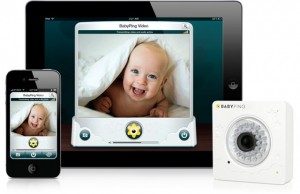
Another example of a smartphone integrated device, the BabyPing Monitor is a video baby monitor that integrates with iPhone or iPads. It allows parents to check on their babies whether they are in the house or not. This may be a great gift for new parents, especially those that have gone back to work and still want to periodically check on their napping kids.
Nest
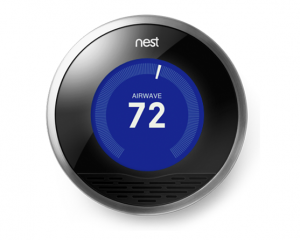
The Nest is to thermostats as the iPhone was to cell phones. You can read my previous article on the Nest to find out more details, but simply put, this smart thermostat has the ability to reduce your power bills significantly and it integrates with smartphones and tablets. Note that there is now a 2.0 version of the Nest available and the 1.0 version is $50 cheaper now. Unless you are close to busting your holiday budget, I’d go ahead and buy the 2.0 version if you’re giving one as a gift.
Fitbit One
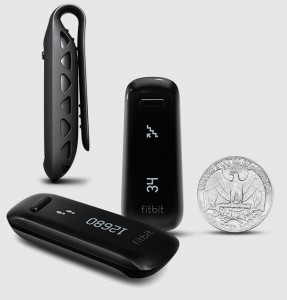
The Fitbit One is a device that keeps track of your activity and sleep patters. It also has a vibrating alarm that can wake you up without disturbing your partner. It wirelessly synchronizes with your computer or many smartphones so you can review your data on Fitbit’s dashboard software. You can then share your accomplishments and compete with friends on social media. The Fitbit may be a great gift for the health-conscious on your list.
Tech Toy of the Month: iPad Mini
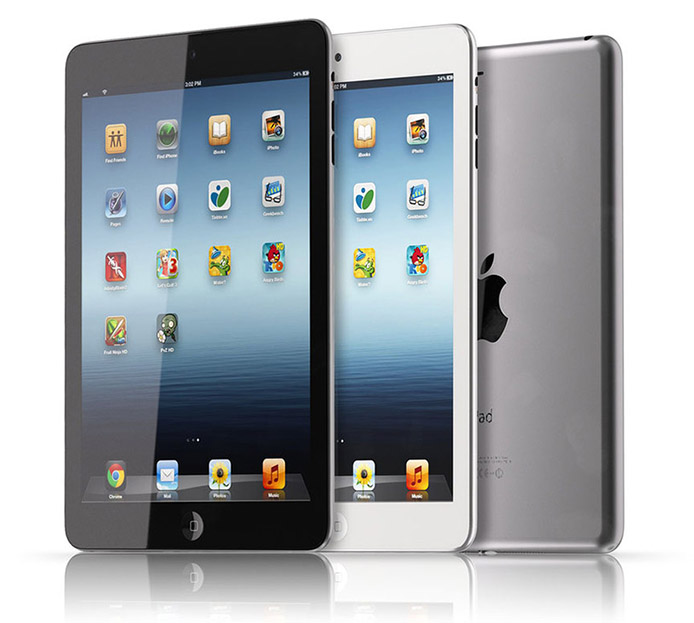 I recently answered the question if one should purchase an iPad Mini or stick with a larger iPad model. Read it if you haven’t already to get an idea if the iPad Mini is right for you. That being said, given the huge potential market for the iPad Mini, especially kids, I predict the iPad Mini will be a hot seller for the holidays – and beyond. So let’s take a closer look at this Tech Toy of the Month.
To a large extent, the iPad Mini is exactly what it says it is – a smaller iPad. But Apple went to some lengths to make the iPad Mini a worthy complement to the existing iPad model for those who wanted a smaller device. The most obvious difference between the iPad and other tablets in the 7″ category is that Apple’s screen is almost 8 inches (7.9 to be exact), where other tablet screens in the 7 inch category are in fact closer to 7 inches. By simply looking at a tablet such as the Amazon Kindle HD next to an iPad Mini one can see the difference right away. While both tablets are almost identical in physical size, the iPad Mini’s screen takes up almost the entire surface area, where the Kindle has a lot more bezel around the screen. So for people who wanted a physically smaller tablet, the iPad Mini delivers the 7″ form factor perfectly while offering a more spacious screen and user experience than competitors.
The other most noticeable feature of the iPad Mini is its incredibly thin and light design. For people who wanted a smaller iPad, the fact that it is also thinner and lighter is a welcome bonus. Additionally, even though the iPad is physically smaller, which means there is less room for a battery, the iPad Mini still gets 10 hours of battery life, just like its bigger sibling. Finally, all 275,000 existing iPad apps work without modification, and of course, existing iPhone apps work in pixel-doubled mode, just like in the bigger iPad.
I mentioned in my last article that the iPad Mini does not have a Retina display like the third and fourth-generation larger iPads. I also mentioned that I didn’t think it would make a difference for most people. Now that I’ve had a chance to review an iPad Mini personally, I stick with that assessment. One possible exception may be for reading eBooks. I can tell that there is a little fuzziness around the text that is not present on a Retina iPad. To reiterate, for most people the lower resolution will not be an issue. Only those people who are going to do a lot of eBook reading and want the sharpest possible text will notice that the Retina display is better for them.
Overall, the iPad Mini is representative of the attention to detail and high-quality design of all Apple products. While a little more expensive than some other 7″ tablets, it is significantly less expensive than the larger iPads. This lower price point for a real iPad will probably be enough for people who wanted a less expensive iPad to make the purchase. The lower price also makes the iPad Mini a lot more reasonable for parents to purchase for their children, especially since the iPad is being used more and more for educational purposes. This extremely large market should make the iPad Mini a hot seller, so don’t wait too late to purchase one if you want to give it as a gift.
Tech Toy of the Month: iPhone 5
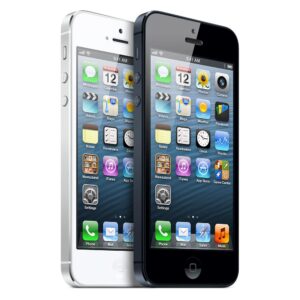 In case you’ve been living under a rock, Apple released the iPhone 5 on September 21st. As with any iPhone release, there is a lot of excitement and hype surrounding the latest release from Apple. To this point, the iPhone 5 is smashing sales records. So is the iPhone 5 right for you?
The iPhone 5 has several minor and a few major changes from the previous model, the iPhone 4S:
- Overall, almost everything in the new iPhone is faster than the previous generation iPhones. If you have a iPhone 4 or older phone, you will immediately notice the difference. iPhone 4S users will not notice as big of a change, but it will feel snappier overall.
- There are incremental improvements to the cameras and battery life. Apple has also included their new “EarPod” headphones, which are much more comfortable than previous Apple headphones.
- The iPhone 5 is a full ounce lighter than the iPhone 4s. This may not seem like a lot, but it is definitely noticeable. When you first pick up an iPhone 5, you may think you’ve picked up a cardboard mock-up!
- The iPhone 5 is the first iPhone to include 4G LTE data networking. LTE is the fastest 4G cellular networking available on the market, and in areas that have 4G LTE availability, it can make a big difference in data speeds for your phone. But note that not all areas have extensive 4G LTE and it varies from carrier to carrier. This is true with all phones from any manufacturer, but I thought it was worth mentioning here.
- The most noticeable difference with the iPhone 5 is the larger screen. Instead of just making a larger screen overall, Apple chose to keep the same width while increasing the height. Apple claims that by keeping the width the same, they keep the phone manageable in the hand.
- There are also many improvements in the iPhone 5 that are attributable to the new iOS 6 operating system. However, many of those improvements are also available to prior iPhones. In fact, virtually every new feature that iOS 6 brings to the iPhone 5 is available to the iPhone 4S. However, the iPhone 4 and iPhone 3GS, while capable of upgrading to iOS 6, do not get all the new features.
So what is the bottom line? Should you purchase an iPhone 5?
- If you own an iPhone and have an upgrade available to you, the iPhone 5 is definitely a worthwhile upgrade.
- If you own an iPhone 4S the answer comes down to cost, as most iPhone 4S owners do not have an upgrade available. If having LTE speeds is very important to you and/or the increased screen size really interests you, then you must decide if the full price of an iPhone is worth it. The good news is that you may be able to sell your iPhone 4S for a price that will help pay much of the cost of a new iPhone 5.
- BlackBerry owners who have been holding on should definitely switch to an iPhone now. The BlackBerry platform is all but dead. It’s time to let go and move on.
- Owners of Android or Windows phones who are not satisfied and looking to upgrade to an iPhone have no reason to wait any longer. The iPhone 5 compares favorably against any current Android or Windows phone, and with the uncertainty surrounding the upcoming Windows 8 phones, it would be wise to let that platform prove itself before committing.
Tech Toy of the Month: The Leap 3D Motion Sensor
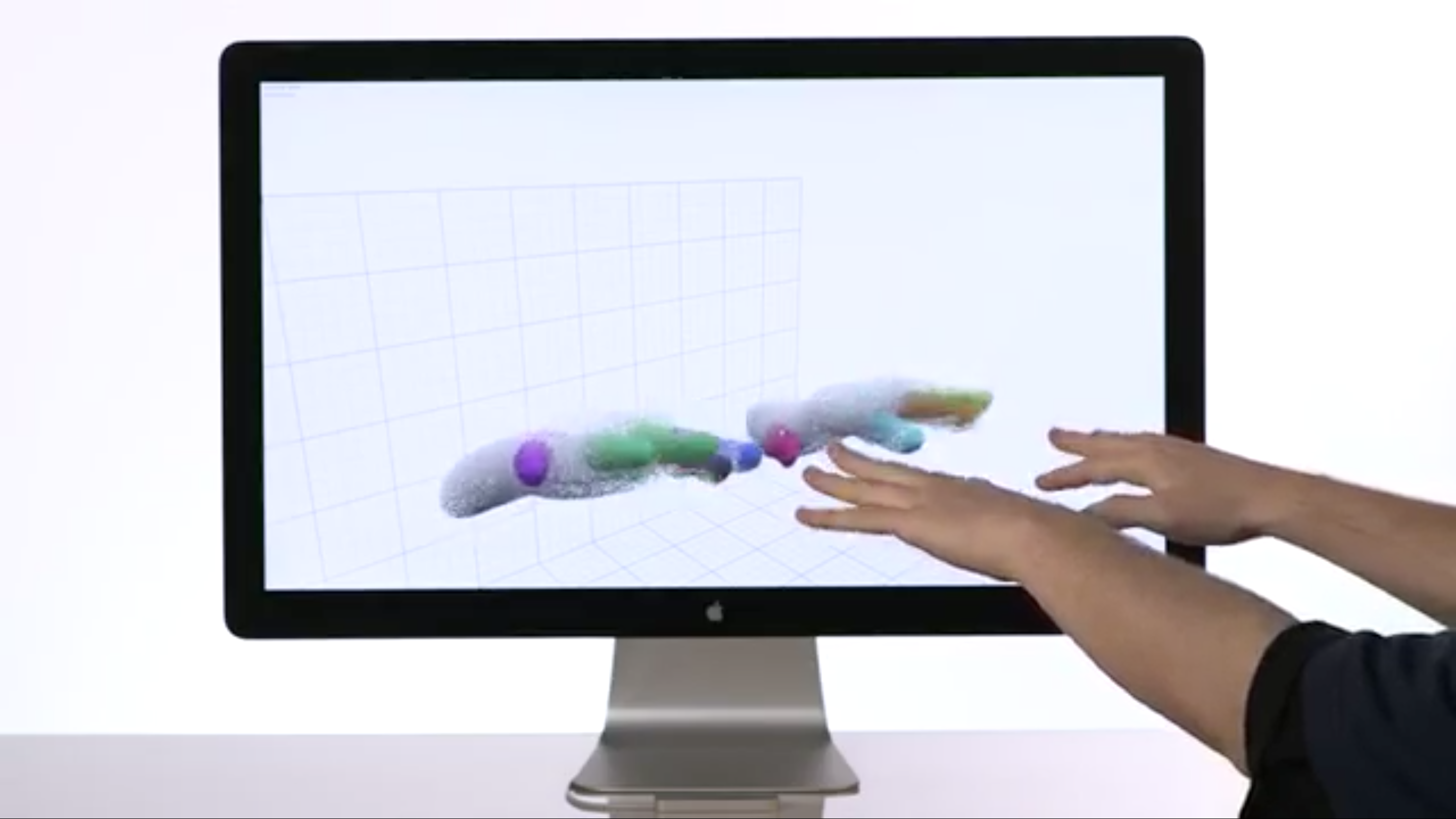 Make sure you read this article in its entirety and view the videos I link to. This technology has huge promise and you should all be aware of it now. Imagine being able to control your computer by waving your hands and fingers out in front of your computer screen. Sounds like something out of the movies, doesn’t it? Until now, that was true. But starting early next year, a company is promising to ship a device that will do exactly that.
“The Leap” by the company Leap Motion, is a 3D motion sensing device about the size of flash drive that plugs into nearly any computer with a USB port. Once connected, The Leap will allow a user to control their computer using motions of their hands and fingers. The Leap is sensitive enough to detect individual fingers and track movements down to 1/100th of a millimeter. But words don’t really do The Leap justice. It needs to be seen to be fully understood. Luckily, Leap Motion has a nice introductory video that does just that. Plus I also found another demo video that shows The Leap in action.
So take a look and let me know what you think. How do you think you’d make use of The Leap?
Tech Toy of the Month: Kanex ATV Pro
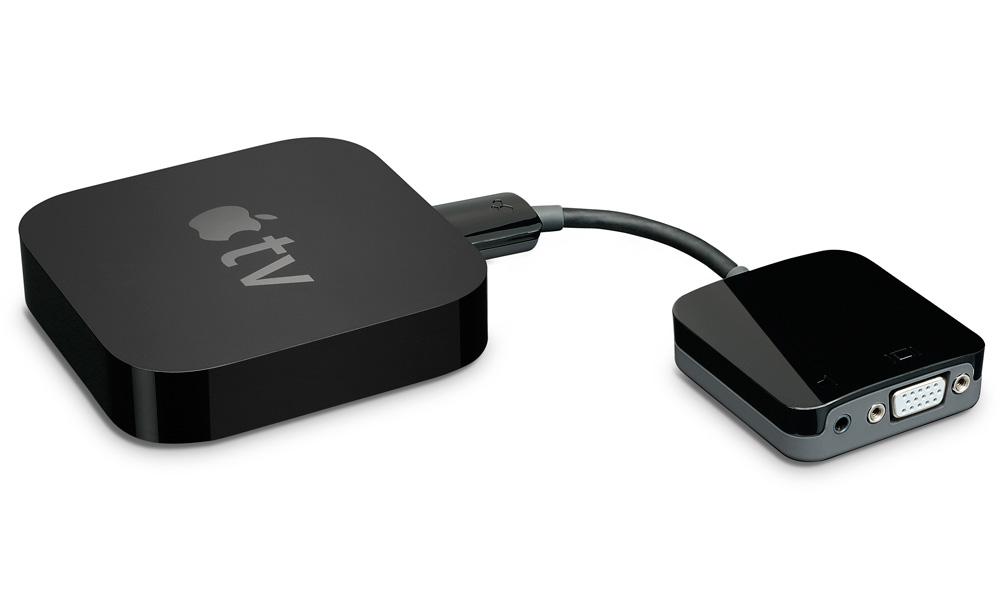 The iPad is becoming an increasingly popular device to give presentations with. When combined with the small, lightweight Apple TV plus an HDTV, the iPad is an excellent tool for Powerpoint or Keynote presentations. By wirelessly transmitting the presentation from the iPad to the Apple TV, it simplifies the setup of a presentation as compared to using laptop. However, most venues still make use of projectors and most projectors use the analog VGA connector rather than the HDMI connector that the Apple TV uses to connect to an HDTV. That has limited the ability of many people to use their iPads for presentations. However, now a new inexpensive adapter allows the use of the Apple TV with standard projectors.
The Kanex ATV Pro is an HDMI to VGA adpater designed to allow the Apple TV (or any device with an HDMI port) to connect to a projector (or any device with a VGA port). The device is extremely simple. It requires no external power adapter, software, or configuration. By using the Kanex ATV Pro, the Apple TV can connect to virtually any projector. Through the use of AirPlay technology, the iPad – or iPhones or newer Macs running the new 10.8 Mountain Lion operating system – can wirelessly transmit presentations, photos, video and/or audio through to a projector. The need to have a laptop nearby the projector is eliminated. This could allow churches and other venues where the projector is mounted high on a ceiling to take advantage of iPad presentations.
If all that wasn’t good enough, the Kanex ATV Pro is only $59. Previous digital-to-analog adapters have been much more expensive. While the device is fairly new, reviews so far are favorable and the Kanex brand has generally marketed good products before. So if you have wished you could connect an Apple TV to a projector, this may be the device you have been wishing for.
Tech Toy of the Month: Nest Learning Thermostat
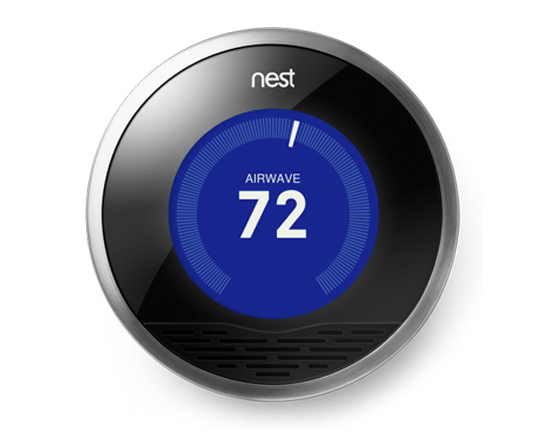 Every so often I see a new technology product that makes me stop and take notice. This month’s Tech Toy is one of those products. It’s an idea that whose time has finally come and actually gives a tangible benefit to those who use it. Plus it is extremely simple to setup and use and it does most of the work for you. I really think this product is the first of its kind and we will soon see devices like this in almost every home. We’ve seen “smart” thermostats before, but you’ve not seen anything like the Nest Learning Thermostat.
Simply put, the Nest is a thermostat that learns your household’s lifestyle so that it can save you energy – and money. Additionally, the Nest uses wireless networking so that you can monitor or control your Nest and your home’s temperature from anywhere – whether you’re in just in another room or around the world. Finally, the Nest allows you to review your home’s energy usage so you can understand how to further optimize your energy usage.
The Nest learns your household’s lifestyle through the use of various sensors. Using this data, the Nest knows when you are not home and will not run your furnace or air conditioning when you are not there. Additionally the Nest learns your family’s schedule to proactively adjust energy usage. The idea is simple: if you are not home, there is no point in using energy to control the temperature. Note that there are settings for “away” and “safety” temperatures where the Nest will kick in to keep the house within a reasonable range while you are gone, so you don’t need to worry about your home going into extreme temperatures. Nest claims that 50% of your energy bill is controlled by your thermostat. And the EPA says that a properly programmed thermostat can cut 20% off your heating and cooling bill. Since the Nest can automatically learn your schedule and can automatically adjust when you’re not home, the Nest should be able to create significant savings for most homes.
Energy savings is the key feature of the Nest, but almost as important is the ability to remotely monitor and control your home’s temperature. We’ve seen thermostats before that allowed some level of remote control ability, but they were generally very expensive and complicated to setup and maintain. Because the Nest uses standard Wi-Fi to get networked, integration into your home’s network is easy. And combined with the use of the Nest apps for smartphone and tablets, remotely monitoring and controlling the Nest thermostat is just as easy. Imagine knowing what the temperature is at your home and being able to adjust your thermostat from anywhere in the world. Well stop imagining because the future is already here with the Nest!
Finally, if you are at all concerned about your home’s energy usage, you probably are interested in knowing exactly when your furnace or A/C is running. Previously, this information was almost impossible to get, but according to my friend, who started a new heating installation company in Toronto, the Nest keeps track of exactly when your HVAC system is running. Using this information, you can see reports that detail exactly when your system was running, and cross-reference that with the weather report for your area during that time. For the energy geeks in us, this is highly useful information.
As I mentioned, I was so impressed with the Nest when I first found out about it, that I purchased one for my own use right away. Physical installation was as simple as replacing my existing thermostat with the Nest. With the detailed instructions provided, as well as the instructional videos available on-line, I think most people would be handy enough to install a Nest themselves. But if not, it should not cost very much for a professional to install a Nest. The setup of the Nest was very easy as well and I’ve been keeping track of the Nest’s operation for about two months now. The operation of the Nest is very simple and I am able to see exactly when our system is running. Since I bought it in spring, I will need to watch our bills during the summer to get a real estimate of how well the Nest is saving us money, but I already have a feeling that the Nest is making some difference, especially on those days when we are not home a lot.
When I first found out about the Nest earlier this year, it was still in early distribution and was only available to those who specifically requested one directly from the Nest company. Now the Nest is in full distribution and available online to anyone, but Nest just recently completed a deal with Lowe’s to carry them in their stores, so picking one up can be as simple as driving down to your local home improvement company. At $249, it may not be your father’s thermostat, but with the rising cost of energy, it is likely the Nest will pay for itself many times over.
If you have any questions about the Nest or any other technologies, please do not hesitate to contact me and I’ll be happy to offer my advice!
Tech Toy of the Month: Solid State Drives
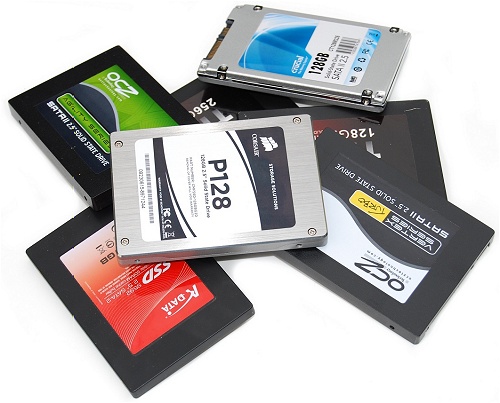 If you normally do not read my Tech Toy articles, be sure to read this one! This Tech Toy is a little different in that I am highlighting not a single product, but an entire class of technology. I am choosing to highlight this technology now because it has finally matured to where it makes sense for average consumers. And wow, is it a game changer! If you’re interested in getting a few more years out of your existing computer, be sure to keep reading!
Simply put, solid state drives (SSD) are a replacement for hard drives. They basically do the same thing hard drives do, and if you didn’t know any better, you probably could not tell the difference between a computer with a solid state drive or a hard drive – at least at first, which I’ll explain soon. The main technological difference between a solid state drive and a hard drive is the way they store data. Hard drives use spinning magnetic platters to store data. Solid state drives basically store data in microchips. This is roughly the same type of technology used in “flash” drives that most people are familiar with. Because of this design, solid state drives have several advantages over hard drives.
First, solid state drives are more reliable than hard drives. With no moving parts to wear out and no magnetic fields that can be distorted to corrupt data, the likelihood of an SSD failing or losing data is many times lower than that of a hard drive. Second, because there is no motor in an SSD needed to spin platters, they use much less power and generate much less heat than hard drives. This allows portable devices to have longer battery life and also run cooler. Just think of the iPad for an example of a device that has long battery life and runs cool. The iPad uses “flash” memory, which again, is basically the same technology that solid state drives use.
But the most appreciable benefit that an SSD gives you compared to a hard drive is speed! Solid state drives can transfer data much faster than a hard drive. With the amount of time that a computer spends accessing and writing data to its drive, the speed difference between an SSD and a hard drive is very noticeable, even with older computers. Computers boot much faster, programs launch quicker, web browsers load pages faster – everything is snappier. This difference is especially noticeable with laptops that have 5400 RPM hard drives. 5400 RPM drives are commonly used in laptops because they use less power and generate less heat (the platters spin slower than 7200 RPM drives). But they are relatively slow drives. Replacing a slow hard drive with a fast SSD can make your old laptop feel like new.
I can personally vouch for this, as I recently replaced the hard drives in my family’s 3 laptops with solid state drives. It definitely made a difference in all 3 laptops. But the most striking change was in my own personal laptop, the oldest of the three. I purchased my current laptop in May of 2007, and it was a model originally introduced in late 2006. Once I installed the SSD, my 5 year old laptop using 6 year old technology has never felt so fast! As I mentioned, everything loads quicker and the computer is just much snappier overall. I had been planning a purchase of a new laptop, but now I’m in no real hurry. It really does feel like I have a new laptop!
SSD technology has been available for several years now. The problem has always been that they were quite expensive. Even today, solid state drives cost a lot more than comparably-sized hard drives. But the good news is that the price per gigabyte has come down enough to where reasonably-sized solid state drives are affordable for average consumers. Since most people only use a fraction of their huge hard drives anyway, a smaller SSD can make sense. If your data usage can fit within a reasonably-priced SSD, the performance benefits are well worth it.
With so many people trying to stretch the lives of their old computers, a solid state drive might be just what the doctor ordered. Contact me for more information about solid state drive technology and I’ll be happy to discuss if an SSD is right for you!
It’s Hip to Be Square
 Having run a small business for 10 years now, I am very aware of the challenges that small businesses face. One of those challenges is offering the ability to accept credit cards. Many small businesses would like to accept credit cards, but the reality is that most credit card processing companies make it financially difficult for small businesses to do so, especially if those businesses are mobile. The two main problems are set monthly fees and lack of feasible mobile payment options. Set monthly fees that are charged regardless of the amount of transactions add up quickly and eat into any profit a small business makes from accepting credit cards. As more and more small businesses are mobile by nature, the lack of a feasible mobile payment option makes the transaction process difficult, less professional, and potentially less secure. Fortunately, in the span of two short years, a new service has completely revolutionized the world of credit card processing for small businesses. Even if you would like to occasionally accept credit cards for the smallest of businesses, you should read on.
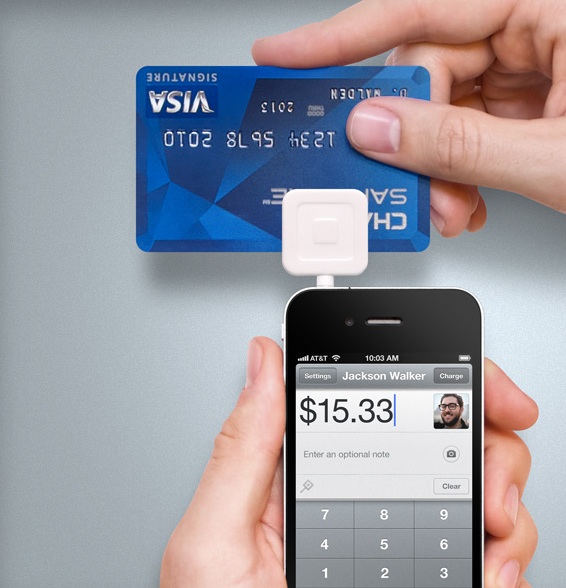
Likely by now you have at least heard of Square. But I still find many small business owners who really don’t know how Square works. To put it simply, Square is a credit card service that allows you to process transactions through your iPhone, iPad, iPod Touch, or Android device. It works by running the Square app on your device and swiping the card through the “Square Reader” that plugs into your device’s headphone jack. You can also manually type the credit card number by hand. Sounds pretty high-tech, right? It certainly is, but in reality there are many companies that can do mobile credit card transactions through smartphones and tablets. Where Square really sets itself apart is in its pricing model.
Most credit card processors will charge small businesses in the range of $20-$30 per month just to have the ability to accept credit cards. This is before any transaction fees are calculated. For many small businesses, they may only transact a handful of sales by credit card. Some months they may not even need to run a card at all. Yet they still must pay this fee. Most processors require small businesses to sign a contract which locks them into those fees and they often will charge a setup fee upfront. Additionally, much of the time small business must buy or lease a credit card machine to run the cards, which can be very expensive. And the options available for mobile credit card transactions are limited and astronomically expensive. Square completely changes all of this.
To start, it is completely free to sign up for Square. They even send you their Square Reader for free. And if you lose your Square Reader you can pick one up for $10 at many electronics stores. This alone can save small businesses several hundred dollars. But where Square really shines is the fact they do not charge any set monthly fees. Regardless of how many transactions your business does through Square in any given month, even if it is zero, you do not pay the $20-$30 fee most processors charge. The savings on the monthly fee can really add up for small businesses. And you can accept Visa, MasterCard, American Express, and Discover without any additional fees for the different types of card you accept, like is required for most traditional processors. Square gets paid simply by taking 2.75% of each swiped transaction or 3.5% + 15 cents for each manually keyed transaction, again regardless of what type of card is used. Obviously, it is in your best interest to use the Square Reader to swipe your transactions, but if you must run a card manually (say a phone order) then at least you have that option.
Those of you that are familiar with credit card processing rates will at first think that Square’s transaction fees are high. True, their per transaction rate is higher than what most other processors list. However, the savings of the monthly fees more than outweighs that for many small businesses. That’s not even factoring in the ability to run cards while mobile without paying thousands of dollars for a traditional wireless credit card machine. Plus, with some of the extra fees that traditional processors charge for accepting American Express, or Discover, or business cards, or cards with rewards plans on them, Square’s rate isn’t really that much higher for those cards. It is also so much simpler to calculate what a transaction will cost a small business with Square’s flat transaction fee than it is to decipher the overly complex fee structure that most traditional processors present. All that said, however, there is a point where the volume of money that a business runs through credit cards will change the equation back into the favor of traditional credit card processors. So you must do your due diligence and make sure that Square will actually save you money if you run a fairly high volume of credit cards. Also, if your business primarily does manually entered transactions and you will do more than $1000 a week, you will need to contact Square to request your deposit limit raised or Square will hold some of your transaction revenue for 30 days as a security precaution.
One thing to note is that even if your company is best served by a traditional credit card for the majority of your transactions, having a Square account costs you nothing and can act as a great supplement. For example, you may only use Square for on-site visits or road shows. Or perhaps you can use it as a backup if your credit card machine is out of service. Like I said, Square has really changed the game when it comes to credit card processing and there are many possibilities for your business to take advantage.
Using my own business as an example, I switched to Square last year. I reviewed my credit card charges for the previous six months with our former processor and calculated what we would have paid using Square. I found that we would have saved about $100 over those six months if we had been using Square. And I calculated that it would take about $4000 of monthly volume before Square started to get more expensive than our previous processor. My business rarely does anywhere near that amount in credit card transactions. So the decision was pretty easy for my business. We’ve been using Square since then and it has been absolutely a great service. Nearly everyone I talk to that uses Square says they love it. Other than the way people talk about their iPhones, I’ve not seen people be so happy with any product or service in a long time.
Finally, some of you may have heard some talk in the news last year about Square’s service being insecure. The whole issue was that the credit card data wasn’t being encrypted when transferring from the Square Reader to the Square app. I can honestly tell you that this whole situation was blown quite out of proportion, primarily by a competing traditional credit card processor. Ironically, the way the competition sensationalized the issue actually backfired on them because most people could see that there really wasn’t an issue. The reality is that all data is encrypted by the Square app when transmitted to be processed – where it really matters. The fact that the Square Reader didn’t encrypt the data to the Square app made the transaction no less secure than any other time people hand their credit card to anyone else. The real issue is trusting the person or business you give your credit card to, regardless of how they swipe it. Regardless, it is all a moot point now anyway as Square has introduced a Square Reader that does encrypt the swiped data, just to silence those critics.
To sum up, I highly recommend that all businesses take a look at Square and evaluate if it will make sense to use it. However, if you run a small business, especially a mobile business, I wholeheartedly recommend that you sign up for an account and start testing it right away. It will either save you a lot of money on your current credit card fees, or it will allow you to finally start taking credit cards.
If you have any questions about Square or credit card processing technology in general, please don’t hesitate to contact me!
Tech Toy of the Month: Cobra iRadar for iPhone
 I’m not going to debate the particulars of revenue-generating speed traps and artificially low speed limits in this article. Suffice to say, who doesn’t hate getting a speeding ticket? In my over 20 years of driving, I’ve received less than a handful. Still, it stings every time, especially when your friendly, neighborhood officer isn’t so friendly. So after my last ticket in late 2010, I went on a hunt for a radar detector. Eventually I found the Cobra iRadar, which seemed like a perfect mix of features and price – plus it integrated with the iPhone! I didn’t buy it right then, however, because my research made me want to wait until I got a new iPhone. Well, the latest iPhone release was delayed by a few months and I sort of forgot about the iRadar until this past Christmas season. So I put the iRadar on my wish list and my wish was granted. Now I’ve had a month to use the iRadar. Was it worth the wait?
Keep in mind that while I am a techie, I’ve never owned a radar detector before. So I don’t have something to personally compare against. And I’m not looking to go into intricate detail about the technology as some radar “geeks” would do. Which is just fine, because my goal, as in most of my articles, is to portray the device from a non-techie viewpoint.
Overall, I’ve been very impressed with the iRadar. The device is able to detect every type of radar and laser gun used by police. It has been simple to use and has worked very reliably. Part of this is because all the configuration of the device is done through an App. Instead of reading a thick manual and fumbling around with obscure buttons on the detector, anyone who can use an iPhone can configure the iRadar. Finally, for the relatively low price, it incorporates many features that are usually only available on expensive, high-end radar detectors.
Speaking of the iPhone integration, while it can be very useful to have the iRadar app running while using the detector, it is not required for the iRadar to function. If the app is running, it will show you some detail when the unit detects a radar. However, if the App is not running, the iRadar will still give audible alerts to what kind of radar or laser it is detecting. This is important because it may not always be possible to have the iRadar app running while driving. Perhaps you also use a GPS app on your iPhone. Or perhaps you are on a call. Whatever the reason, this is an important feature that any potential buyer needs to be aware of.
One thing I’ve discovered by having the iRadar for a month is that there aren’t as many radar guns in use as I would have thought. Still, the iRadar has successfully detected every radar gun I’ve encountered – even when the officer has simply left their radar on while they are parked and not monitoring drivers. So if you own an iPhone and are in the market for a radar detector, I definitely suggest taking a look at the iRadar.