
Tech Toys
Need a Webcam in 2020?
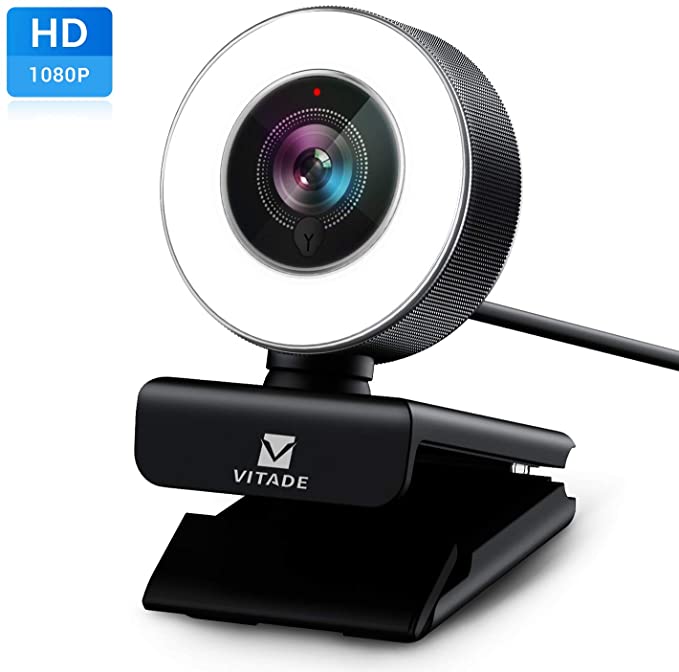 In this year of working and schooling remotely, the demand for webcams have caused supply to become scarce. Most of the reasonably priced devices from well-known brand names such as Logitech have been constantly going out of stock since March. Therefore, people who need a webcam are forced to resort to lesser-known brands. Having been asked recently to research a webcam, I found a good one on Amazon that had good specifications, was highly rated, and offered some good features at a reasonable price. I was so impressed that I went ahead and ordered one to test myself.
After testing it for a couple of weeks on a variety of Zoom calls, including one where I was a presenter for an international summit for entrepreneurs, I am happy to report that this webcam works well and is simple to use. At less than $70, this webcam includes 1080p resolution, a built-in ring light with 3 brightness levels, and works with Macintosh, Windows, and even Linux computers. It mounts to a monitor as most webcams do and feels very stable to me. It also includes a universal mount point for attachments to tripods.
If you are interested in this webcam, here is the Amazon link! If you order one, please comment and let me know your experience with it.
Holiday Tech Toys 2018
 For the 11th installment of my Holiday Tech Toys article, smart home technology continues to be hot. In addition to home automation technologies, I also included a variety of gadgets for use around the house as well. Technology continues to get more personal it seems, which can make gift buying easier but the increasing variety of options can make technology purchasing more confusing! Hopefully these Holiday Tech Toys will give you some ideas for that technology buff in your life!
Wyze Cam
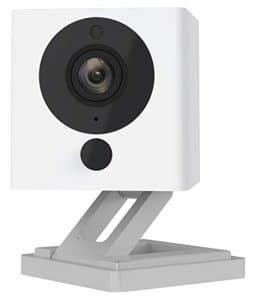 Internet-connected security cameras are a hot item. Unfortunately, for many people the price tags are too high. Enter the Wyze Cam. For $20, this camera can do almost anything that cameras priced 5 to 10 times as much can do, such as night vision and 2-way audio. While it is not perfect and does not integrate with all major home automation platforms, for the price it is hard to beat for the basic functionality that a Internet security camera should provide.
Apple iPad

It is hard to believe the Apple iPad has been around for almost 9 years now. The device that ended the PC era is almost a decade old, yet it still sets the bar that other tablets aspire to. But who are we kidding … there is barely a tablet market outside of the iPad. The iPad is priced lower than it has ever been, starting at $329 for a 9.7 inch 32 GB model. A lot of people have held on to the first iPad they ever purchased, so this may be the year to give them an upgraded model. Make sure to check out the more powerful, larger, but also more expensive iPad Pro models as well. But do note that all iPad models (except the iPad Mini) are now compatible with the Apple Pencil, not just the iPad Pro models.
June Oven
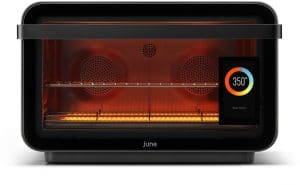 The June Oven claims to be 7 appliances in one: convection oven, air fryer, dehydrator, slow cooker, broiler, toaster, and warming drawer. But this oven is also Wi-Fi connected and can be controlled by a touch screen or your smart phone. You can adjust the oven settings, watch live video of your food, and be notified when the food is ready. Pre-developed cook programs allows the June Oven to cook anything with little human intervention, up to something the size of a 12-pound turkey. It even claims that the internal camera will recognize your food and automatically cook it for you. That sounds like something out of the Jetsons to me. Now if we only had cars that would fold up into a briefcase …
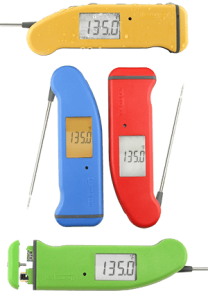
ThermoWorks Thermapens
Continuing the cooking theme, the ThermoWorks Thermapen is a line of digital food thermometers that can accurately and quickly measure the temperature of food during preparation. It works on meats, fish, casseroles, re-heated foods, breads, cakes, deep frying and candy. If the June Oven is perhaps a little too much to give as a gift to your foodie friends, perhaps a Thermapen would be perfect.
Roku Express
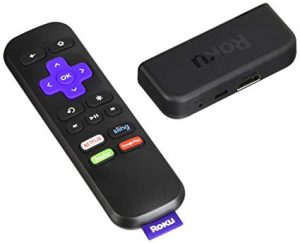 One of the most common questions I get asked is what device should one use to watch streaming video services on an actual TV set. The major contenders are the various models of Amazon Firestick, Google Chromecast, Apple TV, and Roku. While my personal favorite is the Apple TV, a lot of people are looking for a lower priced option. For low cost and simplicity, it is hard to beat the Roku Express. For under $30, the Roku Express works with all the major steaming services (such as Netflix and Hulu) and provides 1080p resolution. It is certainly not a perfect device and more expensive Roku devices provide features such as 4K Ultra HD resolution, but considering the price, the Roku Express is a great gift for those who want to try streaming video. If you are giving it as a gift, try to verify that the person receiving the gift does not have a 4K TV or doesn’t plan to get one soon. I’d recommend a different Roku such as the Roku Streaming Stick+ or Roku Premiere for 4K TVs.
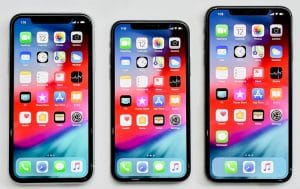
Apple iPhone
The original modern smartphone, the Apple iPhone is still the cream of the crop when it comes to ease of use and reliability. The various iPhone X models (last year’s X, and this year’s XS, XS Max, and XR) are among the most popular Apple has ever sold and the technology in these devices are impressive even to a jaded technology expert like myself. If you are looking to give an iPhone as a gift, make sure to purchase one of this year’s model phones. The lower-cost XR model appears to be selling very well and is a very attractive option to those who want a top-of-the-line iPhone but are willing to save some money in exchange for a screen that uses previous generation technology. Not to say that the screen of the XR model is sub-par, it simply isn’t the cutting edge in screen technology available today. But for many people, they may hardly notice the difference. Also interesting is that the XR model has a slightly larger screen size than the flagship XS model (but smaller than the XS Max).
Belkin Boost Up Qi Wireless Charging Pad
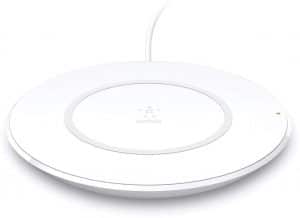 Speaking of the Apple iPhone, one of the features of the iPhone 8 and X series is wireless charging. With a compatible wireless charger, one can charge an iPhone 8 or X series simply by laying it on top of the charger. There are many choices for wireless charging pads, so to make it simple, the Belkin Boost Up Qi Wireless Charging Pad 7.5W is a low-cost option from a trusted brand name. It is optimized for iPhones to support Apple’s “fast charge” feature for quicker charging, but it will work with any Qi-enabled device from Samsung, LG, Sony, and others at normal charging rate. If you have a Samsung phone, you can get the Samsung optimized Belkin Boost Up Qi Wireless Charging Pad version to support its particular fast charge feature, but it is a little more expensive.
Philips Hue White A19
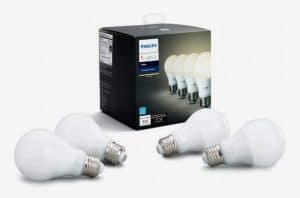
Back to the home automation theme, remotely controlling lights is one of the most popular home automation tasks. The Philips Hue is one of the most popular lines of “smart light bulbs” and the A19 is the most popular/well-known form factors of light bulbs. Currently selling for about $40 for a 4-pack, at $10/bulb the Philips Hue White A19 is a great way to turn regular lamps into devices that can be controlled with any of the major home automation platforms (Apple HomeKit, Amazon Alexa, and Google Assistant). Very important for many people, these bulbs can be set to a variety of shades (warm to cool white) and can also be dimmed. Do note that some features require a Philips Hue Hub device, sold separately.
SENSO Bluetooth Headphones
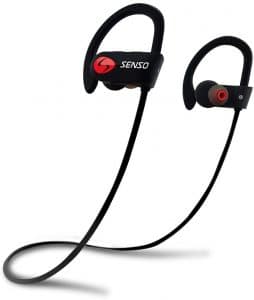 Bluetooth headphones have become very popular recently, although the price of many of these devices has not been so popular. Many who desire wireless headphones are people who would use them during a variety of workouts, so their ability to stay secure in the ears while moving and sweating is important. Luckily, the SENSO Bluetooth Headphones are inexpensive, sweatproof, and has many great reviews testifying to stay in place during workouts. This may be a great gift for those workout warriors in your life.
Uvex Skyper Blue Light Blocking Computer Glasses
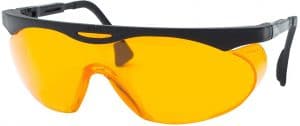
Finally, one issue with technology usage that has received a lot of coverage in the last few years is the possibility that blue light emanating from screens can be harmful to one’s sleep quality. Many manufacturers of devices now include a “night mode” that changes the color of the light coming from the screen to reduce the amount of blue being seen by the user. But not all devices have this feature so if you are concerned about the amount of blue light you or your loved ones are being exposed to at night, a simple pair of glasses that blocks blue light may be the solution. A very popular and low-cost option is the Uvex Skyper Blue Light Blocking Computer Glasses available from Amazon.
Holiday Tech Toys 2017
 Ten years ago I wrote my first Holiday Tech Toys article. Looking back, it is fun to look at the evolution of technology during those 10 years. This year, I decided to focus my tech toys on the rapidly emerging field of home automation. I predict that home automation technology will be one of the hottest tech markets in the coming years and it is poised to make a splash this holiday season. So to help you all out, here are some great home automation products.
Voice Assistant Devices: Amazon Echo Dot, Google Home Mini
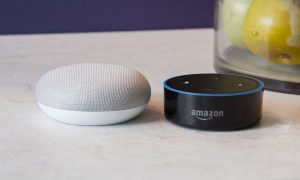 I’m sure you’ve seen the ever increasing number of commercials on TV showcasing the Amazon Alexa and Google Assistant services. You just ask your voice assistant device a question and it gives you the answer! Or you tell it to turn on some lights and it magically obeys your command! Yes, when properly set up a voice assistant can seem like magic. The great news is that Amazon and Google have created small versions of their voice assistants with similarly small prices (especially now during the holiday shopping season). The Amazon Echo Dot and the Google Home Mini each tie into their respective services and with holiday sale pricing both cost just under $30. Apple was set to join the game with their HomePod speaker/voice assistant device but the ship date for that product has slipped to early 2018 and it was also set to cost $399. However, if you have an iPhone, you can use Siri to control your home automation devices just the same. More on that later.
 Ring Wi-Fi Smart Video Doorbell
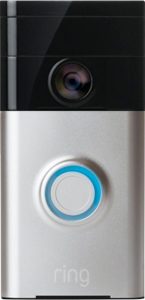 Ring Wi-Fi Smart Video Doorbell
One of the more practical “smart” product lines getting some attention recently has been the video doorbell. It is basically a doorbell with a video camera that can be accessed remotely through your smartphone, whether you are at home or away. It is basically a high-tech peephole that lets you see who is at your door or who may be hanging around your porch area. But you can also communicate with them, which can be very useful if you are not at home and are waiting for a package or if you want to talk to whomever is at your door. You may have heard stories, especially around the holiday season, of people scaring off potential package thieves by interacting with them through their video doorbell systems. The Ring is one of the more popular models and it is currently on sale from most vendors.
ecobee4 Wi-Fi Thermostat with Room Sensor
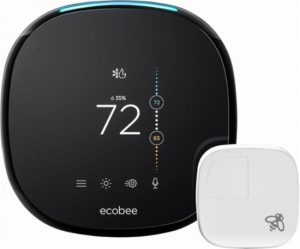 Smart thermostats were one of the earliest examples of the new generation of home automation devices that included Wi-Fi connectivity and smartphone integration. The Nest was the device that kicked it off and is probably the most well-known example of the smart thermostat, but there are others that are worth strong consideration, especially if you are an Apple device owner. I like the ecobee4 because it integrates with Apple’s HomeKit platform (along with Alexa and Google Assistant) unlike the Nest which currently excludes HomeKit integration. But also the ecobee4 also has built-in functionality to set up room sensors around the house which help the main thermostat more accurately control temperatures, saving money in theory as compared to a device that can only measure temperatures in one location.
 iHome iSP6 SmartPlug
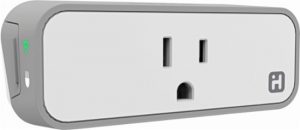 iHome iSP6 SmartPlug
One of the simplest ways to begin automating a home is through the use of smart outlets, such as the iHome iSP6. These devices simply plug into the wall and then any supported device can be automated. Common types of devices include lamps or fans. The iSP6 can control small home appliances up to 1800 watts. I like the iHome iSP6 SmartPlug because it is relatively inexpensive (under $30 per unit, especially with holiday sales), yet it supports the three major home automation platforms (Apple HomeKit, Amazon Alexa, Google Assistant). Other companies are deploying smart outlets are coming into the market that offer similar functionality at similar price points.
Insignia Wi-Fi Smart In-Wall Light Switch
 As I just mentioned, more companies are starting to jump into the home automation market with low cost yet full functioning modules. Best Buy with their Insignia brand are one of those companies. As an example, their Wi-Fi Smart In-Wall Light Switch allows one to replace a regular switch with a smart switch that can be controlled by the three major home automation platforms at a price point under 30 dollars (with holiday sales currently). Smart switches like these can be a great way to automate things like lights without needing to replace every light bulb in fixture, saving money in the long run.
Chamberlain B970 Smart Garage Door Opener

Garage door openers are a very convenient and safety oriented device to have automated. I can tell you from personal experience that it is nice to be able to open or close my garage door from anywhere in the world and also receive alerts if it is left open for a certain amount of time. The Chamberlain Model #B970 is a great example of a fairly low cost garage door opener that has built-in home automation features including Wi-Fi connectivity out of the box. There are also adapters available for existing garage door openers such as the Chamberlain MyQ Smart Garage Hub that offer very similar functionality.
Linksys Velop Wireless Mesh Network
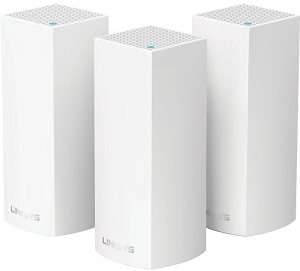 As homes become filled with more and more wireless devices, including home automation devices like the ones I feature in this article, the need for a robust and reliable wireless network becomes even more critical. In the past, some larger or older homes were very difficult to adequately cover with a strong wireless signal. Luckily in the last year, a number of newer generation wireless devices that use a technology called “mesh networking” have been introduced in to the market. Basically, mesh devices create a wireless network that uses multiple wireless access points instead of just one as most wireless routers do. Unlike the “boosters” many people have tried to deploy that generally don’t work very well, mesh devices are designed to create a unified wireless network that covers an entire building seamlessly. In my experience so far, mesh networks work far better than traditional wireless devices at covering larger areas. The Linksys Velop units have gotten very good reviews and I’ve had good luck with them on a handful of deployments recently.
 Apple iPhone X
 Apple iPhone X
For many people, their smartphone is the virtual hub of their home automation system, so including the iPhone X on this list made sense to me. Of course, any iPhone will serve well as a home automation control device, but the iPhone X is Apple’s top tier phone at this time. One thing to note is that while Apple’s entry into the voice assistant device category is delayed, Siri voice control built in to every iPhone continues to work well as a mobile voice assistant. In fact, by using the “hey Siri” functionality, one may not even need a standalone voice assistant if they keep their iPhone near them most of the time. Apple Watch users will also generally have access to Siri on their wrist at all times too.
August HomeKit Bluetooth Deadbolt Retrofit Smart Lock
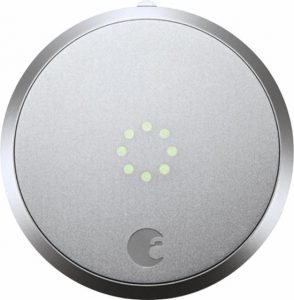 To wrap up my home automation Holiday Tech Toys list, I feature a smart door lock that can be retrofitted onto existing deadbolts. The August HomeKit Bluetooth Deadbolt Retrofit Smart Lock works with the 3 major home automation platforms and can be used to automatically lock and unlock your door. It can automatically unlock as you approach with your smartphone, or your can remotely unlock it using an app or with voice command. You can also assign virtual keys to other people such as cleaning people or pet sitters. Note that you may need an August Connect Wi-Fi Bridge in order to use the remote control features, unless you have an Apple TV 4th Generation device within Bluetooth range of the door lock.
Shop for Tech Gifts Smartly
My general advice for holiday shopping is to purchase from a place that has a good return policy, since it can be difficult to purchase the right technology as a gift. However, also make sure to NOT open the original packaging of a technology gift if there is any chance of it being returned. Once the original packaging is opened, unless there is a problem with the device, returning it simply because the recipient didn’t like it will usually incur a re-stocking fee.
Marcel Brown is the most trusted name in technology. If you need help or have questions about these or any other technologies, please feel free to contact him or post your question in the Q&A section of his website. You may also follow him on Facebook or Twitter.
Holiday Tech Toys 2016
2016 has certainly been an interesting year to say the least. I think many people are looking forward to the holiday break but first we all must get some gift shopping done. In order to help all of you make good technology gifting decisions, I present to you my 9th Annual Holiday Tech Toys list. This year I’ve tried to present a list of lower-cost items that are still great tech gifts and some can even work as stocking stuffers. Make sure to take a look at Holiday Tech Toys from years past as there are likely still many gifts that could still be good choices for this year.
iHome SmartPlug
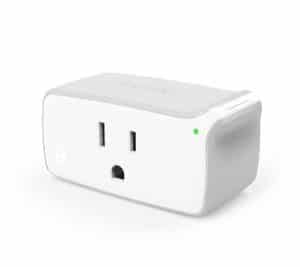 I’ve been following home automation technology for a long time. Besides being expensive, the main problem in years past has been that most home automation devices were difficult to understand and devices from different companies rarely worked well together. Anyone who wanted to go beyond simple automation had to be highly technical or pay someone a good chunk of money to set up highly complicated systems. The good news is that in the last few years various companies such as Apple with their HomeKit platform, Google with their Nest platform, and handful of others including Amazon’s Alexa are bridging together formerly disparate home automation technologies into cohesive and simpler to use units. Unfortunately many home automation technologies are still a bit pricey. However I did find one inexpensive home automation device that can easily automate many electronics such as lamps and small appliances. The iHome SmartPlug iSP5 requires nothing more than a smartphone and Wi-Fi network to function. I’ve found it as low as $29 at Home Depot and it I’ve purchased several for my home over the last year. My family and I can control the attached devices with a simple app on our iPhones or by using Siri voice commands. Because I did not need to buy a “hub” or other proprietary controlling device, this makes setup very simple and less expensive. Another great thing about the iHome SmartPlug is that it works with virtually every current home automation platform. Note that the iSP5 model may be getting low on stock as the replacement iSP6 model begins to enter the market. The iSP6 is about $10 more expensive on average than the iSP5, but I expect that this price will drop over time.
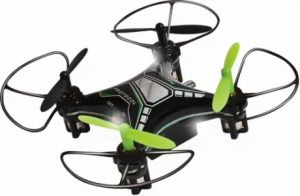
 Small Flying Drones
 Small Flying Drones
Flying drones have been a popular, albeit expensive, tech toy over the last few years. However, I am now starting to see small drones that are much less expensive, yet still have some of the capabilities that have made flying drones so popular. A quick search around a store like Best Buy will show many drones now under $200, with several under $150 and $100. If you’re looking for more of a “toy” flying drone, there are now many under $50, although you will sacrifice some features that more “serious” drones offer. Still, for under $50, it could be a great way to find out if you or your family have a real interest in pursuing the larger, more expensive flying drones.
NES Classic
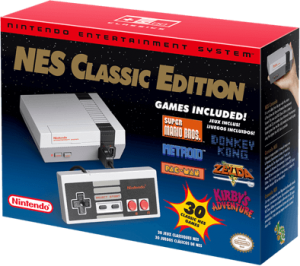 Those of us who know (or remember) video game history will say that the Atari 2600 was the first popular home console system. But we also know that it was the original Nintendo Entertainment System (NES) that really brought home video gaming into the mainstream and we have never looked back. Now those us of that want a simple way to play several of the most popular NES games on our new-fangled HDTVs have an option in the new NES Classic mini-console. At $60, it is a miniaturized version of the original NES system with 30 built-in games, plus an HDMI port. Unfortunately, at the time of writing, it seems the NES Classic is so sought-after that it is out of stock almost everywhere. So if the NES Classic is on your shopping list, then keep your eyes peeled for any that might sneak into availability at your local stores.
Small Automated Robots

It seems that just as small flying drones are popular, small automated robots are also becoming very popular. One example of such a tech toy is the Sphero BB-8 App-Enabled Droid. This is a very small replica of the character from the movie Star Wars: The Force Awakens. However, it can be controlled by a smartphone and can also run autonomously. It is normally $150, but it was on sale for less than $100 recently so I would not doubt if that price point can be found again soon. Other similar robots allow the owner to actually program them, like the Wonder Workshop Dash. This type of robot might be more educational but either tech toy should satisfy a little one who is into robots and automation.
Car Dash Cameras
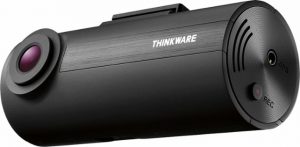 For a variety of reasons, car dash cameras are becoming hot items. One of the reasons may well be that the price of good quality dash cams has come down to reasonable levels. A model like the Thinkware F50 is less than $100, features a 140-degree wide camera with 1080p resolution, and will automatically save video 10 seconds before and after a collision is detected. Some more expensive models also allow you to attach an additional rear window camera as well.
Robot Vacuums
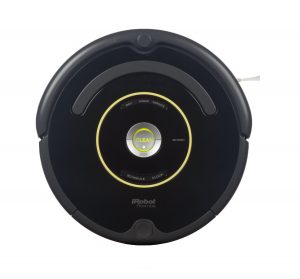 Little toy robots might be fun to play with, but robots that can take care of household chores are much more useful! Robot vacuums like the Roomba have been around for years, but in the last couple of years the technology has improved greatly and the prices have come down significantly. It used to be that high quality robot vacuums started at $500 or more and you can still buy models that are in upwards of $900, but a model like the Roomba 650 sells for approximately $325 on Amazon. My family had new hardwood floors installed in our house this summer and I purchased a Roomba 650 to keep our first floor free of excessive cat hair and dust. I set it to run every night around 3 AM and it manages to keep our entire first floor noticeably clean. There are a few things to get used to when living with an automated robot running around your house at night, but other than a few minor adjustments, we haven’t had to do much to make sure the Roomba can do its job every day. Since it is a gift that keeps on giving, a Roomba might be perfect for someone on your list.
Bluetooth Headphone Adapters
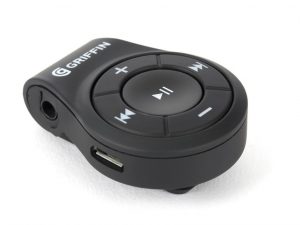 With all the fuss made over the iPhone 7 (and some other less well-known phones) eliminating the traditional headphone jack, many people are considering options for using their favorite headphones with these newer-style devices. One very simple and inexpensive way to adapt traditional headphones is with a Bluetooth adapter. Simply put, a Bluetooth headphone adapter allows traditional headphones to receive an audio signal wirelessly. Simply pair the adapter with your phone, connect your old headphones or earbuds, and listen wirelessly! A model like the Griffin iTrip Clip is only $20 so this can make a great stocking stuffer for someone who has or will soon have an iPhone 7.
C.H.I.P
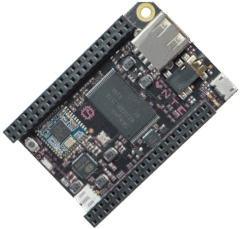 Imagine a computer that can fit in the palm of your hand and only costs $9. Well stop imagining because the C.H.I.P. is exactly that. True you need to add a monitor, keyboard, mouse, and put it in some sort of enclosure because for $9 all you get is simply a small circuit board. However, on this small circuit board is a full-fledged PC including a 1 Ghz processor, 4 GB of storage, 512 GB of RAM, and built-in Wi-Fi and Bluetooth. Now this may not sound like a lot of processing power compared to what you can purchase in a new traditional PC, but believe it or not the C.H.I.P. is capable of running a modern operating system and software. Now this certainly is a gift for someone who likes to dabble with technology projects, but for $9 it might create some technology curiosity in a young (or young-at-heart) gift recipient.
PhoneSoap
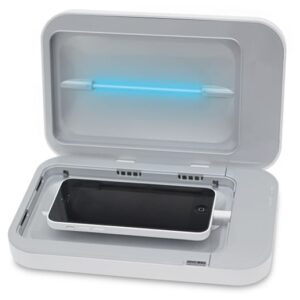 It’s been said that the surface of most of our smartphones has more germs than a toilet bowl. I’m not sure that is true, but just to be safe it probably isn’t a bad idea to sanitize your phone. The problem is that most normal methods of sanitizing aren’t phone friendly. Either cleaning solutions present a liquid damage hazard to your phone or simply taking the time to clean your phone is a pain. Luckily for us, the PhoneSoap uses ultra-violet light to safely and quickly sanitize any smartphone (or anything you can put inside it). Basically, you put your phone inside the PhoneSoap device, close the lid, and 5 minutes later the phone is sanitized. At only $60, one PhoneSoap can serve your entire family. My family owns one and I can tell you that it does appear to do its job. If it saves someone just one illness, it is definitely a gift worth giving!
Parrot Pot
 A lot of us enjoy having live plants in our home. But some of us aren’t so good at remembering to water our potted plants. If only there was a way to have a pot that would water our plants for us. Well now there is! The Parrot Pot is a “smart” pot that detects when your plant needs water and automatically waters at the right time. It can hold enough water for up to a month of watering, so you can be sure your prized plant will stay healthy even if you are away on a trip. Normally at $150 it may be a bit of a stretch for someone who isn’t a serious gardener. However, it is currently on sale for $99 so it might be a great gift for someone who enjoys their plants but isn’t a green thumb.
If you have any questions about these or any other technology gift, please don’t hesitate to ask!
The iPhone 7 – Apple Giveth and Apple Taketh Away
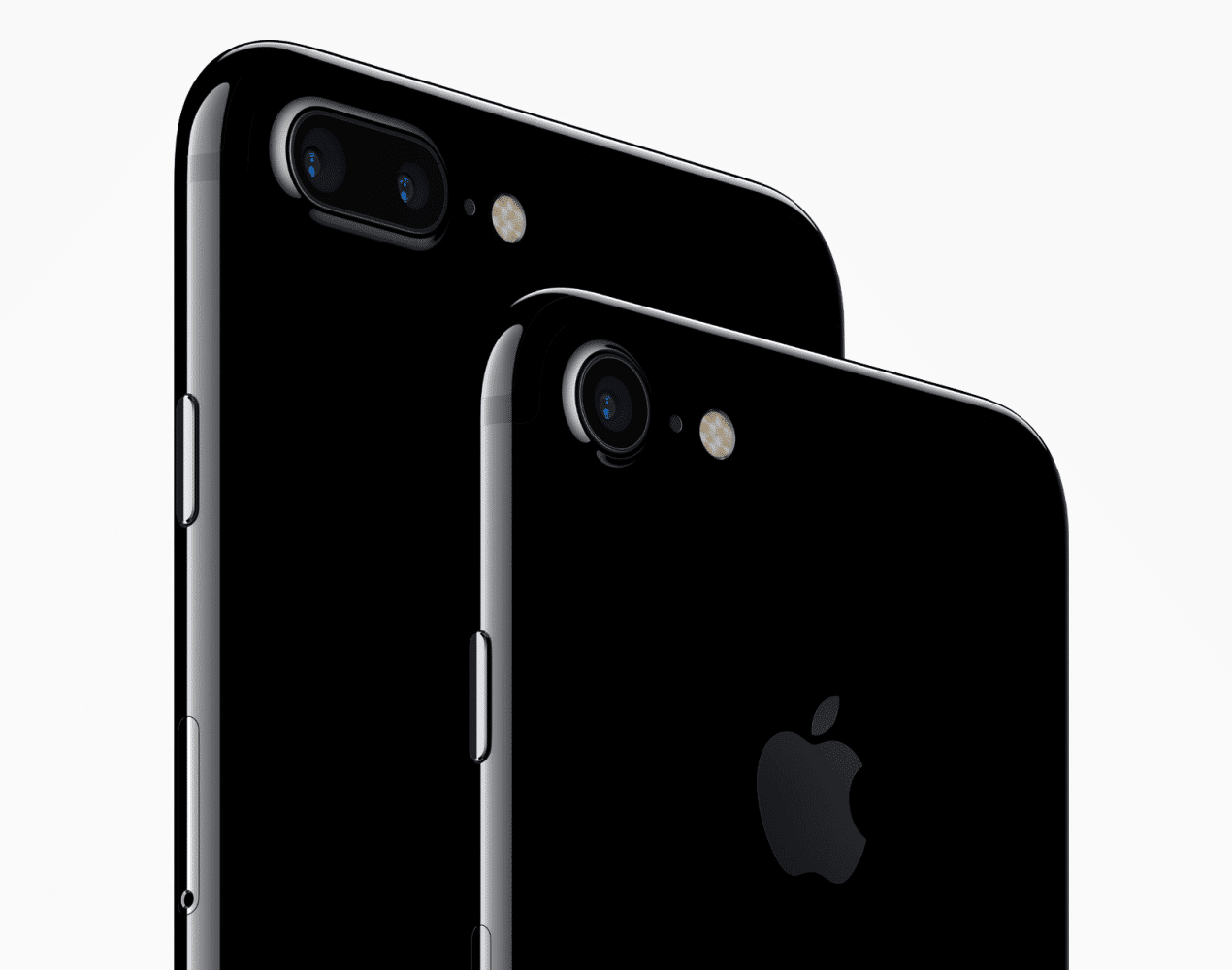 As with every iPhone announcement since … well, since the very first one … there is always a combination of excitement for the new features introduced and teeth-gnashing from features left out. The recent announcement of the iPhone 7 is no exception, but this time Apple removed a common feature that has caused many people to complain more than usual. Is the missing feature enough to outweigh the new features of the iPhone 7? Keep reading and I’ll give you all the important details.
More Power Yet More Battery Life
As usual, each new iPhone introduces an improved processor. The iPhone 7 continues this trend of course, but with a bit of a twist. The new main processor in the iPhone 7, the A10 “Fusion”, is Apple’s first quad-core mobile processor. Apple claims it is 40% more powerful in CPU performance and 50% more powerful in graphics performance. These numbers are nothing to sneeze at, as Apple also claims that the A10 Fusion brings console-level gaming to a mobile platform (incidentally, Nintendo introduced the very first Mario game for the iPhone during the iPhone 7 event – probably not a coincidence). However, more powerful processors generally mean that battery life suffers. Apple has taken a novel approach to solving this problem by separating the 4 cores pf the A10 Fusion into 2 high performance cores and 2 energy efficient cores (hence the name “Fusion”). By allowing the iPhone 7 to use the energy efficient cores for “normal” tasks that do not require the processing power of applications like games, the iPhone 7 can get more life out of its battery. Apple claims the iPhone 7 will average 2 hours more battery life than the iPhone 6S, and the iPhone 7 Plus will average one more hour than the iPhone 6S Plus.
Room to Breathe
Apple has increased the standard storage capacities in the iPhone 7, doubling the sizes across the board. Instead of 16, 64, and 128 GB capacities, the iPhone 7 will come in 32, 128, and 256 GB storage models. That should help a lot of people who struggled squeezing into the 16 GB of storage in previous base model iPhones. However, optimizations in iOS 10 will help with storage space issues by using cloud storage to augment the built-in storage of all iPhones, so ironically the larger storage capacities of the new iPhones aren’t necessarily as great of a feature as it initially sounds. However, it is nice to not need to worry about storage capacities and 32 GB should be a significant improvement for most people with 16 GB iPhones.
Stereophonic Sound – Because You Have Two Ears
The iPhone 7 will be the first iPhone to include stereo speakers. As more and more people use their smartphones for playing music, the quality of sound has become a more important purchase decision. Apple has designed the iPhone 7 to use the earpiece speaker as an additional speaker to create the stereo effect. In addition, Apple claims that the speakers in the iPhone 7 will be two times louder than the iPhone 6S along with an increased dynamic range. Now I can play music through my iPhone without offending the audiophile inside me or connecting it to external speakers.
Apple is Leaving Us High and Dry. But That’s a Good Thing!
The iPhone 7 will also be the first iPhone to be water (and dust) resistant, with a rating of IP67. This rating means in official terms that the iPhone 7 is “protected from immersion in water with a depth of up to 1 meter (or 3.2ft) for up to 30 mins,” or in simple terms, it’s resistant to rain, splashing, and accidental submersion. So practically speaking, the iPhone 7 will be safe from the most common types of liquid accidents that can damage smartphones. Certainly this is a significant improvement to the iPhone as liquid damage is the bane of mobile devices, causing an untold number of damaged and destroyed phones every year. If you’ve ever had your phone damaged by liquids or know someone that has, this feature alone might be enough to prompt you to purchase an iPhone 7. One day we may even be able to stop talking about bags of rice to dry out a wet phone.
Let’s Come Back Home
The home button on the iPhone 7 will no longer be an actual button, but will use haptic feedback to simulate a button press, much like the “Force Touch” trackpads in Apple’s MacBook laptops. I’ve not yet tested the iPhone 7 to know for sure how this home button feels, but if it is anything like the Force Touch trackpads, you won’t really be able to tell the difference. The haptic tap on a MacBook feels just like you pushed an actual button. In addition to the haptic feedback, the home button will now be force sensitive, similar to the 3D Touch on the iPhone 6S. Overall, the good ol’ home button will be more responsive, more reliable, and customizable according to Apple.
Don’t Be Camera Shy
One could probably write an entire article describing the improved cameras of the iPhone 7 and iPhone 7 Plus. However I won’t go into great detail here because there are many articles already written that do go into great depth on this topic. I’ll just say that the iPhone 7 camera is in a class by itself, as evidenced by the fact that the separate processor that Apple uses to power the camera performs over 100 billion operations in just 25 ms for each picture taken. That is “super-computer” speed in a camera system, which again is a separate processor from the main iPhone A10 Fusion processor I wrote about earlier. Just to be sure, here is an article that claims the iPhone 7 just changed the entire camera industry forever. About the only other thing to say about the new cameras is that the iPhone 7 Plus has an even better camera than the smaller iPhone 7. Actually sporting two separate cameras, the iPhone 7 plus offers 2x optical zoom and impressive “depth of field” capabilities that rivals high-end standalone digital cameras. If you are a camera junkie, the iPhone 7 Plus will be for you, but even discerning photographers will appreciate the quality of pictures the smaller iPhone 7 provides.
But … My Headphone Jack is Gone!
Ok, so I’m sure this is the part most of you were waiting to read. Yes, it is true! Apple has eliminated the traditional 3.5 mm headphone jack that we are all familiar with. Yet before you jump off the deep end, I believe there is quite a bit of confusion regarding this development.
To be certain, you will still be able to use your existing earphones or headphones with your iPhone 7. Apple is including (at no extra cost, just to be clear) an adapter that will allow you to plug in traditional headphones into the Lighting port. I believe most users will simply plug their headphones into this included adapter and not think twice about the lack of a headphone port ever again. Truly, for most people that is problem solved, case closed. Move along, nothing (literally) to see here.
Additionally, Apple is also including a new version of the EarPods they have been shipping with recent iPhones that connect directly into the Lightning port. Apple also showed a third-party set of headphones that have direct Lightning port connectivity as well and it is no doubt that headphone manufacturers will create many varieties of Lightning port headphones in the very near future. The future of wired headphones will likely be with Lightning port connectors given Apple’s dominance in the market.

Whatever you think of Apple’s AirPods, know they are NOT the only way to connect headphones to an iPhone 7
So why all the uproar about a missing port that is easily remedied with an included adapter? I believe this is because Apple also made a big deal about their new AirPods wireless headset. AirPods look very similar to the EarPods Apple manufactures, but without cords. Apple believes wireless headsets are the future, so they spent a lot of time talking about the AirPods during the iPhone 7 launch event. Selling for $159, I think a lot of people mistakenly believe that they must purchase AirPods if they want to use headphones with their iPhone 7. To reiterate, this is clearly NOT the case. Yes, Apple believes wireless headphones are more convenient and will be the future of headphone technology going forward, but again the iPhone 7 will include an adapter for traditional headphones and future wired headphones will likely have direct Lighting connectors. So put down the pitchforks and torches: you don’t need to spend a dime to use your iPhone 7 with headphones.
But Seriously … I NEED a Headphone Jack!
To be fair, there will be some users who will have some difficulty with not having the traditional 3.5 mm headphone jack. One example are those users who have setups where they used the headphone jack while simultaneously charging their iPhone. This is primarily done in setups where the iPhone was connected to a home or car sound system. Users like these will need to make some adjustments. Fortunately, there are reasonable workarounds available now with more likely to become available soon.
Apple already had their Lightning Dock charging base that has a 3.5 mm jack built in. This will allow an iPhone to charge and play music at the same time for situations like connecting an iPhone to a home sound system. I’m sure other companies will soon follow with similar adapters at lower price points that would also be more convenient for use in a car. That being said, there are many solutions for playing audio through an iPhone in a car while it is charging. Cars that have CarPlay built in (or aftermarket CarPlay receivers) allow plugging in the iPhone for charging and audio at the same time. Some non-CarPlay receivers also do this. This truly is the future of audio in cars, as one connection does it all. Moving on, cars with Bluetooth will allow audio to be played wirelessly while the iPhone is being charged. Cars that don’t have Bluetooth can get inexpensive Bluetooth-to-3.5 mm adapters to connect to standard AUX ports. So yes, those who made use of the 3.5 mm jack while charging will need to adjust, but I would be willing to bet most of those people are techy enough to adapt with only a little effort.
The Headphone Jack Will Become a Relic in the Near Future
For some people, the lack of a 3.5 mm jack may be a big enough deal to not buy an iPhone 7 at this time. That is understandable. However, I believe this is the wave of the future for most smartphones. The recently released Android-based Moto Z smartphone also eliminated the headphone port, using USB-C as the sole connector (it also includes an adapter for traditional 3.5 mm headphones). The ability to make phones thinner and more water resistant is a key factor in eliminating the 3.5 mm port and so people will need to get used to this change sooner or later. The iPhone 7 is just the beginning so start planning now on migrating from the 3.5 mm headphone jack (on smartphones at least).
Should You Buy an iPhone 7?
So with all that being said, the question remains: should you buy an iPhone 7? If you’re in the market for a new iPhone, the iPhone 7 is certainly a worthy upgrade. The increased power, longer battery life, and larger storage capacities are nice incremental upgrades. Water resistance, stereo speakers, and an unparalleled camera round out some of the more impressive new features. The lack of a traditional 3.5 mm headphone jack is hardly a reason to avoid the iPhone 7 except in very specific (and I believe rare) circumstances. If you have an iPhone 6S, these new features might be enough to convince you to upgrade. I’d say if you have an iPhone 6 or earlier, you should strongly consider upgrading if nothing else for the water resistance feature alone. If you are a camera junkie, I predict you will get an iPhone 7 (probably an iPhone 7 Plus) before the end of the year. The camera is that good. Of course if you don’t currently own an iPhone, I believe you will be pleasantly surprised at how much easier your life will be with an iPhone, especially now that the iPhone 7 includes some nice features that were only previously available on competing smartphones.
Don’t Forget about iOS 10!
The iPhone 7 will include the new iOS 10 operating system which will bring many new features to iPhones, but as usual, you do not need a new iPhone to take advantage of the latest operating system. If you have an older iPhone (as old as an iPhone 5) make sure to download iOS 10 to get these new features. iPads as old as the 4th generation or iPad mini 2 will also support iOS 10 and so will the iPod touch 6th generation. iOS 10 will be released September 13 – along with the new watchOS 3 which you should be sure to download if you have an Apple Watch.
Make sure to read my article reviewing the new Apple Watch Series 2 as well and if you have any questions, please comment below or feel free to post your question in my Technology Question and Answer section.
Apple Watch Series 2 – Right For You?
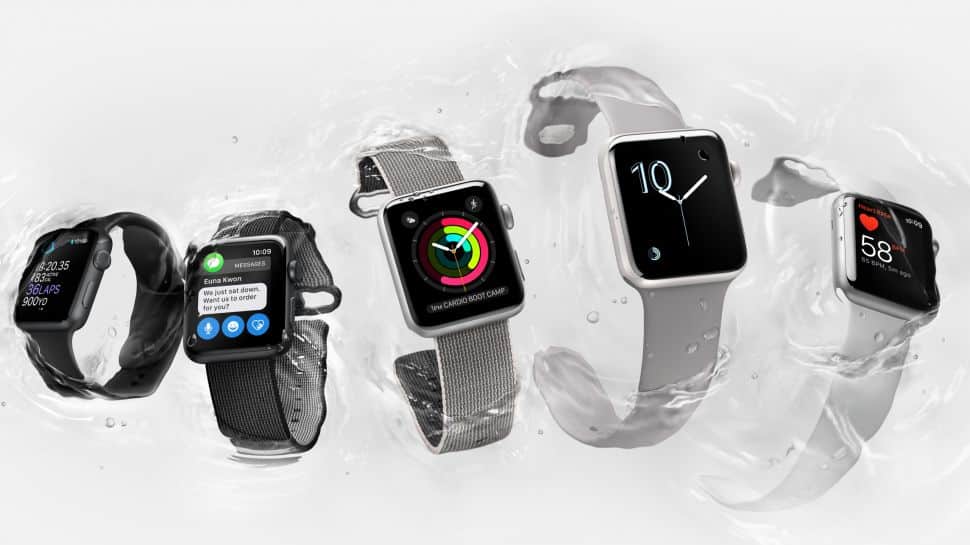 It’s September and for the last several years Apple introduces and releases their new iPhone around this time. As expected, Apple just held their event introducing the new iPhone 7, but this year they also used the event to introduce the next version of the Apple Watch. Calling it the “Series 2” to differentiate it from the original Apple Watch, the main new features are a faster processor, brighter screen, increased water resistance, and built-in GPS. Is this the Apple Watch you’ve been waiting for? Is it worth upgrading your current Apple Watch for the new model? Read on and find out.
Improved Dual-Core Processor
Apple has upgraded the Apple Watch Series 2 to include a new and faster dual-core processor. Certainly a faster processor will be nice, as the original Apple Watch does get a bit sluggish at times. However, the upcoming new release of the watchOS 3 operating system promises to heavily optimize the efficiency of the Apple Watch as well, so a faster new processor may not be enough motivation for current Apple Watch owners to get the new model. It will need to be seen just how big of a difference a faster processor makes for Apple Watch users, as the reality is that processing power isn’t a significant consideration in a smartwatch at this time.
One Thousand Nits – That Means Really Bright
The Apple Watch Series 2 is claimed to be twice as bright as the original, rated at 1000 “nits,” which apparently is a measurement of brightness. A brighter screen certainly can’t hurt when in strong sunlight conditions, but to be honest, in the year I’ve had my Apple Watch I can’t recall a time where I had difficulty seeing the watch face in bright sunlight. Maybe if I lived in California or Florida instead of the midwest I’d get more sun and then it would be more important to me!
Making More Than a Splash
Increased water resistance is a practical addition to the Apple Watch Series 2, although the current model is already resistant to an IPX7 rating. The IPX7 rating officially means “Protected from immersion in water with a depth of up to 1 meter (or 3.2ft) for up to 30 mins,” or in simple terms, it’s resistant to rain, splashing, and accidental submersion. However, officially you should not go swimming with the original Apple Watch, as it is easy to go deeper than 3.2 feet in a pool (although I have worn my current Apple Watch in a shallow pool and it is no worse for the wear). The new Apple Watch Series 2 has a water resistance rating of 50 meters which means it can safely be used for swimming. This allows swimmers to take advantage of the workout features of the Apple Watch and Apple has engineered the Series 2 to be accurate for the particular motions of a swimmer’s workout. So if you are a swimmer and wish to use the Apple Watch to record your swim workouts (or just want to feel confident that your watch will survive a swim), the improved water resistance of the Apple Watch Series 2 is a compelling feature.
Baked-In GPS Goodness
The original Apple Watch does not have built-in GPS. Therefore people who wanted to accurately track outdoor workouts needed to carry along their iPhone as well. The Apple Watch Series 2 includes built-in GPS so that is no longer a necessity. This is a feature that will mostly excite runners, but it will also be useful for hikers, cyclists, and any other outdoor enthusiast. In fact, Nike has partnered with Apple to create a special Nike version of the Apple Watch Series 2 that is geared towards runners. The built-in GPS feature will attract runners and outdoors people, but it is probably not enough to motivate current Apple Watch owners to upgrade.
Let’s Talk Turkey
Apple is pricing the Apple Watch Series 2 starting at $369 for the 38mm Sport models ($399 for the 42mm Sport models). This is basically the same price as the original Apple Watch. They have reduced the price of the first generation Apple Watch accordingly to start at $269/$299 for the Sport models. However, and I think this is a fairly big deal, they are including the new dual-core processor of the Series 2 in the original form factor. Correspondingly, they now call these improved first-generation watches the Series 1, while the previous Apple Watches will now be called “Original.” With one of the more common complaints of the original Apple Watch being that it was sluggish at times, the combination of the soon-to-be-released optimized watchOS 3 with the more powerful processor should make the Apple Watch Series 1 a very attractive purchase at its lower price point. Unless one is a runner, outdoor enthusiast, or swimmer, the features of the Apple Watch Series 2 may not be enough to justify an additional $100 or so for many people who want an Apple Watch. I would not be surprised if sales of the Apple Watch Series 1 keeps pace or even outsells the Apple Watch Series 2 over the next year.
Odds and Ends
The Apple Watch Series 2 looks virtually identical to the original Apple Watch. For those hoping it might be thinner, you’re out of luck. But realistically, I’ve seen many watches that are bigger and heavier than the Apple Watch and most people don’t complain. Obviously, this also means there is not a round form factor either. However, Apple has added a white ceramic option to the aluminum and stainless steel body options. Also, say goodbye to the $10,000 gold Apple Watch option. Apple quietly removed that option from their web site. Rumors are that only 2,000 models were sold, but that would have earned Apple $2 million dollars. Not bad for a odd duck.
The battery life of the Apple Watch Series 2 is currently an unanswered question. The only official information we have is that it will have the same battery life as the original. It is possible the GPS chip in the Series 2 may consume more battery, but it is also possible that the improved processor is also more energy efficient. Only time will tell here.
To Buy or Not to Buy?
Overall, if you’ve been putting off the purchase of an Apple Watch, you should feel good about purchasing one now. With the additional features of the Series 2, or simply the improved processor of the Series 1, these are significantly improved devices over the original Apple Watch. However, if you have an original Apple Watch, the Series 2 is probably not enough to make you want to upgrade, unless you happen to be a runner or swimmer. And if you are an original Apple Watch owner, keep an eye out for watchOS 3, which will be released September 13th. That will bring your current Apple Watch many new features and improved performance.
So that is your summary of the new Apple Watch announcement. My next article will cover the new iPhone 7, so please keep on reading. If you have any questions about the Apple Watch, please feel free to comment below or post your question in my Technology Question and Answer section.
Holiday Tech Toys 2015
It’s that time of the year again! Whether you’ve been naughty or nice, it’s time to think about what tech gifts you will be handing out to your friends and family. As before, be sure to look back upon some of the previous years’ Holiday Tech Toy lists since some items will still be good gifts this year (and maybe even cheaper now that some time has passed!)
This year, Apple brand products seem to be hotter than ever before so I will start the list off with 4 Apple products. I have also included more Holiday Tech Toys than ever before in this year’s list, so get reading!
iPhone 6S
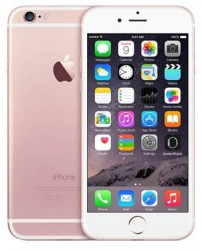 Ever since Apple introduced “big” phones with the iPhone 6 last year, sales for Apple have been skyrocketing, seemingly at the expense of other smartphone manufacturers. If your loved ones have been hinting at a new iPhone (or any “phone”), the latest iPhone 6S or iPhone 6S Plus are sure to please. Just be certain to verify what size and/or color preference your gift recipients want. Alternately, used iPhones may be a good option as often iPhones from a year or two ago are still excellent devices and can sell for very reasonable prices. Just be sure to buy from a reputable source with good support.
iPad
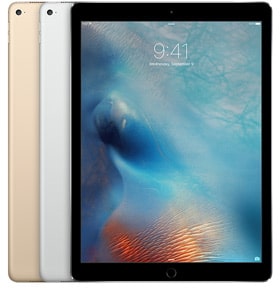 Apple’s recently introduced large-screen iPad Pro is getting all the media buzz, however the iPad Mini 4 may be a better gifting option, especially for children. The now mid-sized option (formerly larger or “regular-sized” option) is the iPad Air 2. Any way you go, tablets are taking over the computing landscape so an iPad is almost certainly a welcome gift. In many cases, an iPad can virtually replace a laptop especially when paired with an external keyboard. The iPad Pro has an Apple-specific external keyboard option, but there are some nice third-party keyboards available for all iPads, one of which I will cover later in this article.
Apple Watch
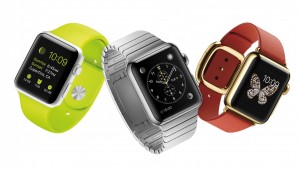 The Apple Watch is certainly going to be a hot gift item this year. However, it is a tricky gift to give, as there are so many variables in the options available. I recommend purchasing an Apple gift card if you don’t want to get the wrong Apple Watch for your gift recipient. Also, be sure that your gift recipient owns an iPhone 5 or newer (or will own one by the time they get their Apple Watch). The Apple Watch requires pairing with an iPhone and will NOT work with any other brand of smartphone or iPhone older than the iPhone 5. Finally, while kids may ask for an Apple Watch, I currently feel adults would get the most practical use from the Apple Watch. That may change as more third-party developers create apps for the Apple Watch, but it may not be the best gift for a child at this time.
Apple TV
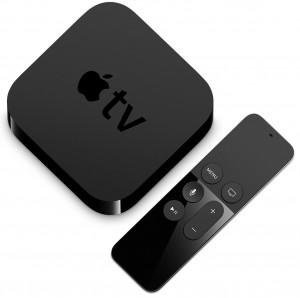 At the beginning of November, Apple’s new Apple TV became the most popular streaming TV device in just one week of sales. By introducing an Apple TV App Store that includes a lot of crossover Apps that are currently available on the iPhone and iPad, it seems Apple has a big hit on their hands for the holiday season. If you have people on your gift list who aren’t overly tech-savvy but want to use video streaming services like Netflix and Hulu (and many others) on their main TV, the Apple TV could be just the ticket.
Logitech K380 Multi-Device Bluetooth Keyboard
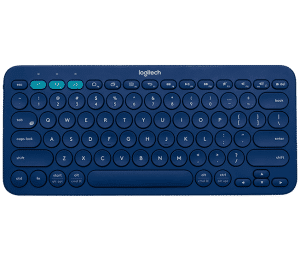 As I mentioned above, there are many third-party keyboards available for the iPad. Most of these keyboards are bluetooth-based so they should work with any mobile device, such as smartphones. Other devices like the Apple TV, Playstation 4, and any Bluetooth-capable computer (such as most Macintosh models made in the last several years) can also make use of a bluetooth keyboard. The Logitech K380 is reasonably priced and can be configured to switch between three devices at the push of a button. Logitech also claims that the K380 will last 24 months with one set of batteries. Even if the device gets only half of that, that is still great battery life! The Logitech K380 has received great reviews and I think it is a perfect gift for use with a TV-connected device such as an Apple TV, since entering long passwords and such can be tedious with an on-screen interface.
Fitbit
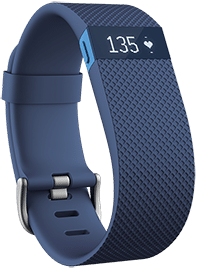 If an Apple Watch is not in your gift giving budget but you have a health-conscious person on your gift list, a Fitbit might be a great idea. I personally recommend the Fitbit Charge HR model since it can track heart rate, which any moderately serious health-conscious person will appreciate. Don’t confuse the HR model for the plain Fitbit Charge since it does not include heart rate tracking. Other similar fitness trackers from other companies may also be a good choice as a gift. The only wrinkle may be that most models have a variety of colors to choose from and you may need to get a measurement of the gift recipient’s wrist to buy the correct size. That being said, if you purchase from a store with a good return policy, exchanging a Fitbit or other fitness tracker should not be too much of a problem.
Health Tech Bling
The trouble with most fitness tracking watches is that they are not considered very fashionable. Here are a couple of gifts that can help with that.
 Tory Burch for FitBit
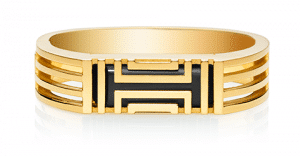 Tory Burch for FitBit
For owners of the FitBit Flex, the Tory Burch for FitBit conceals the technology inside some eye-catching bling. Various styles are available beyond the example pictured here. Unfortunately, owners of other FitBit models are out of luck at this time.
 Mira
Mira
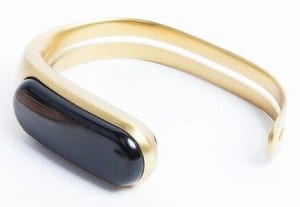 Mira
MiraThe Mira is a standalone fitness tracker that looks virtually like a stylish bracelet. It is also available in a few different styles than what is pictured here. While it keeps track of basic fitness parameters such as steps, calories, distance, and elevation, it unfortunately does not track heart rate.
goTenna
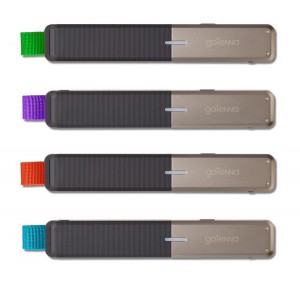 If you have people on your gift list that often spend time in areas with a lack of cell coverage (such as remote outdoor areas), the goTenna could be a great gift for them and their travel partners. The simple explanation of the goTenna is that it is an external antenna for a smartphone that can communicate directly with another goTenna antenna and paired smartphone. This allows users of the goTenna to send text messages and GPS locations directly to each other when there is not sufficient cell signal in an area. With a multi-mile range in open areas, goTenna is sort of like a high-tech walkie-talkie for texting. One goTenna device can also send out a broadcast message to any other goTenna devices in an area, which is useful in emergency situations. goTenna can also be used in urban areas for situations where cell towers may be over-saturated with traffic, although range is reduced. Regardless, the goTenna looks like a very interesting technology that any outdoor enthusiast would be happy to own.
Universal Remotes
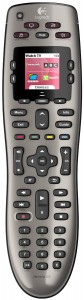 One tech item that has been around a long time are universal remotes. Yet most people have a love/hate relationship with these devices. While they should simplify the lives of people with various audio/video devices, they haven’t always filled this role perfectly. The trouble with most universal remotes to this point was that the less expensive ones weren’t always so “universal” and the more powerful ones were difficult to configure. This left people still using more than one remote for their TV setups. However, universal remotes have come a long way. Today many universal remotes are configurable though your Mac or PC computer, which makes setup significantly easier. By taking advantage of Internet databases of thousands of audio/video equipment, many universal remotes will now almost configure themselves once you input what brands and models of equipment you own. A good example of a reasonably-priced computer-programmable universal remote is the Logitech Harmony 650. A newer model universal remote might be a great gift for someone who you notice has a handful of remotes on their coffee table!
Drones
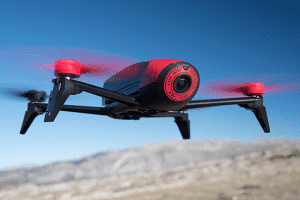 Flying drones (or even driving drones) that take video seem to be getting extremely popular. The problem is that there are a great variety of drones available at wildly different price points. Some drones come with a built-in camera, others require you add your own camera. This makes buying a drone as a gift very difficult. Fortunately, the Parrot BeBop 2 is a model with good reviews that combines reasonable cost with a built-in 1080p camera. However, this is a brand-new product and for this holiday season it will likely set you back over $500.
Mobile Chargers
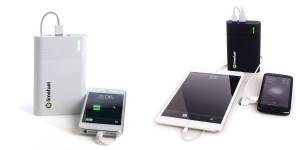 I included mobile chargers in last year’s Holiday Tech Toy list. It seems this type of product has become extremely popular in the last year and is a great gift for anyone who uses their mobile devices extensively. If you know anyone that has ever had a phone battery die on them, this gift is almost a no-brainer. Here are a few great options:
Anker PowerCore+ Mini: Small, inexpensive, and good quality.
Jackery Mini Portable Charger: Another brand that is small, inexpensive, and good quality
Limefuel Blast: Limefuel is still among the top brands making affordable and quality mobile chargers and one of the few that include 4 charging ports on their larger sized models. The higher power capability and extra ports make them great for families or when your friends’ smartphones all seem to lose charge at the exact same time.
Multi-port USB Chargers
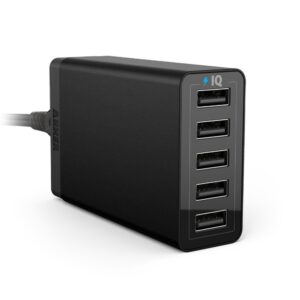 I also included multi-port USB chargers on last year’s list. A multi-port USB charger is a practical and inexpensive tech gift to give those who have several devices that charge from a USB port – which is probably most people you know! People who travel a lot may especially appreciate one compact unit that can charge all their devices. This year I even found a 10-port charger! That’s a lot of ports! Here are a few good options:
Anker PowerPort 4 Wall Charger: A good number of ports in a wall-plug form factor, so no cord to keep track of. Nice for travelers with multiple devices or an outlet over a counter.
Anker PowerPort 5: 5 charging ports and plenty of power to simultaneously charge devices on all the ports, including tablets.
Photive 6 Port: 6 charging ports should satisfy most charging station needs. This particular model is reasonably priced and high quality.
Anker PowerPort 10: A whopping 10 charging ports will power the ultimate charging station!
Any Questions?
As always, if you have any questions about technology gifts or any other technology topic, please feel free to contact me!
Holiday Tech Toys 2014
This year’s Holiday Tech Toys list is a little different than previous iterations. All the items on this year’s list are devices I have personally been using over the last year. Needless to say, I have extensive experience with every item on this list. Also, many of these items are great for those on your list who are picky about their technology. Beyond the short write up I will give each item, I will also follow up soon with more in-depth reviews. So keep an eye out for those upcoming reviews, but in the meantime, if you have more questions about these devices please let me know.
Automatic
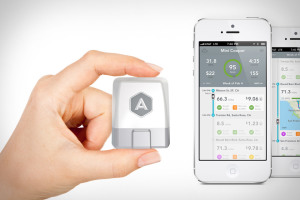 The Automatic is a device that plugs into the OBD-II port in your car and transmits data about your car’s health and your driving habits to your smartphone. I bought it primarily to help me monitor my fuel efficiency, which it does well, but I also started using the data it stores about where and when I drove to help me monitor how much time I spend in the car. It is amazing to see hard data about just how much time I spending in the car! Based on the information I am getting from the Automatic, I know I am driving fuel efficiently, but I also know that I could literally get one extra working day a week if I didn’t drive so much! The Automatic would be a great gift for anyone who is concerned about their fuel or time efficiency.
Fitbit Force/Charge
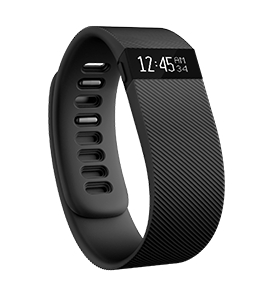 I wanted a device that had a silent alarm so I could wake up without disturbing my wife. The Fitbit Force “fit” the bill nicely. I was also interested in the activity and sleep monitoring features. Ironically after a couple of months of using the Fitbit Force, it was recalled due to some people suffering skin reactions. I did not have any reaction to the Fitbit Force so I kept using mine. The redesigned replacement for the Fitbit Force is called the Fitbit Charge. After several months of using the Fitbit Force, I did enjoy the silent alarm function, but I didn’t use the sleep monitoring feature much because I had to remember to enable and disable it each night and morning. The activity monitoring was neat, but it only truly worked for walking. It was not accurate for things like skating (I play a lot of hockey), nor would it really monitor activity of any other sort. My thought was that if the Fitbit Force had a heart rate monitor it would be perfect. That being said, within the last couple of months, Fitbit released an upgrade for the Force that added a few nice features. Now the Force will automatically monitor your sleep as well as integrate with your smartphone to vibrate when you have a phone call. This has made me happier with my Fitbit Force, but I still wish it had a heartrate monitor.
The reality is that the upcoming Apple Watch is going to completely change the landscape of the fitness technology market. The Apple Watch will have the heart rate monitor that I had wished for and now it seems that in response, Fitbit will be releasing new models that include a heart rate monitor for only about $20 more than what I paid for the Force. That being said, in a market that is about to be dominated by the Apple Watch, the Fitbit could still find fans among people who want a heart rate monitor but at a lower price point than the Apple Watch. If you have someone on your gift list that is a walker or runner, a current Fitbit model might be a great gift. Otherwise, wait for the new models next year.
Apple iPhone 6
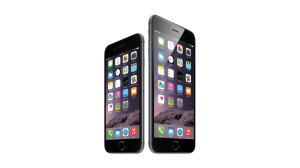 What is there to say about the iPhone 6 that hasn’t already been said? The iPhone is still the standard that all other smartphones aspire to and now that the iPhone comes in larger sizes, competitors suddenly must find something else that make their phones different. I will say that I was hesitant about the iPhone 6 being too big, but I have found that the iPhone 6 is a nice comfortable size for a smartphone. The iPhone 6 Plus is simply too large for my usage, but for some it might be just what they want. Either way, the new iPhones make an amazing gift. Just be sure to add the AppleCare Plus coverage so that accidental damages to the new iPhone are covered.
 Multiport USB Chargers
The more mobile devices families acquire, the greater the need for a “charging station” to recharge all those devices. The problem is that it is difficult to plug in a bunch of chargers into one standard outlet. Sure, power strips can be used, but they are big and bulky. The best solution I’ve found is a multi-port USB charger. As my household has need of several different charging stations, I have purchased devices from both Anker & Photive (specifically the Anker 5-port 40W, the Anker 5-port 25W, and the Photive 6-port 50W). So far, the chargers have been working great with a variety of devices, such as iPhones, iPads, iPods, plus many other gadgets that my family owns, including several that are on this Holiday Tech Toy list. They even charge our Playstation 3 controllers, which are notoriously hard to find third-party chargers for. The key when shopping for chargers like these are to look for devices that use “intelligent” charging technology. This will allow one charger to charge a variety of different devices from different manufacturers, since many manufacturers use different charging specifications. If you know gadget-people who need help charging all those devices, a multi-port USB charger could be just the gift they are wishing for.
Chamberlain Smartphone Ready Garage Door Opener with MyQ Technology
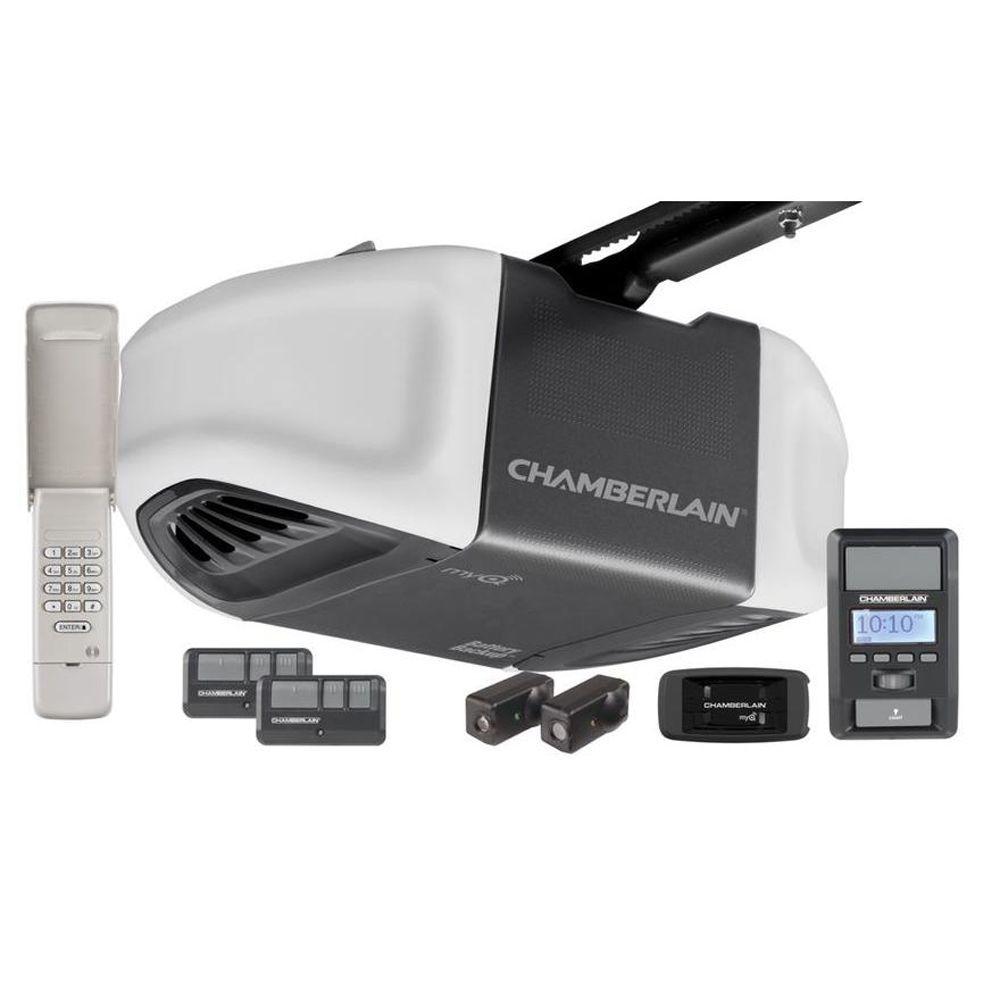 I moved into a new house a couple of months ago. The garage door opener that came with the house was from 1991. Besides the fact that it didn’t have the safety features that newer garage door openers have, there was no way to use it with devices that integrated with smartphones. So I decided to purchase an entirely new garage door opener that had built-in integration. Never having installed a garage door opener, I was a little hesitant to tackle such a project. However after researching this particular Chamberlain model that I could buy at Home Depot, I went ahead and made the purchase. It turned out it wasn’t that hard, even for someone like me who is much more comfortable with electronics than mechanical things. This garage door opener is has nice features like a motion sensor for the garage lights, a battery backup so it will still open the garage door if the lights go out, and a wireless keypad so the garage door can be opened from the outside. All this was on top of the ability to monitor the status of the garage door as well as being able to open and close it from a smartphone from anywhere in the world. I also really like the fact that this garage door opener is extremely quiet. The best part was that it is less than $250! Now maybe a garage door opener isn’t exactly what someone thinks of as a Christmas gift, but I’m sure there’s someone on your list that would appreciate it.
SimpliSafe
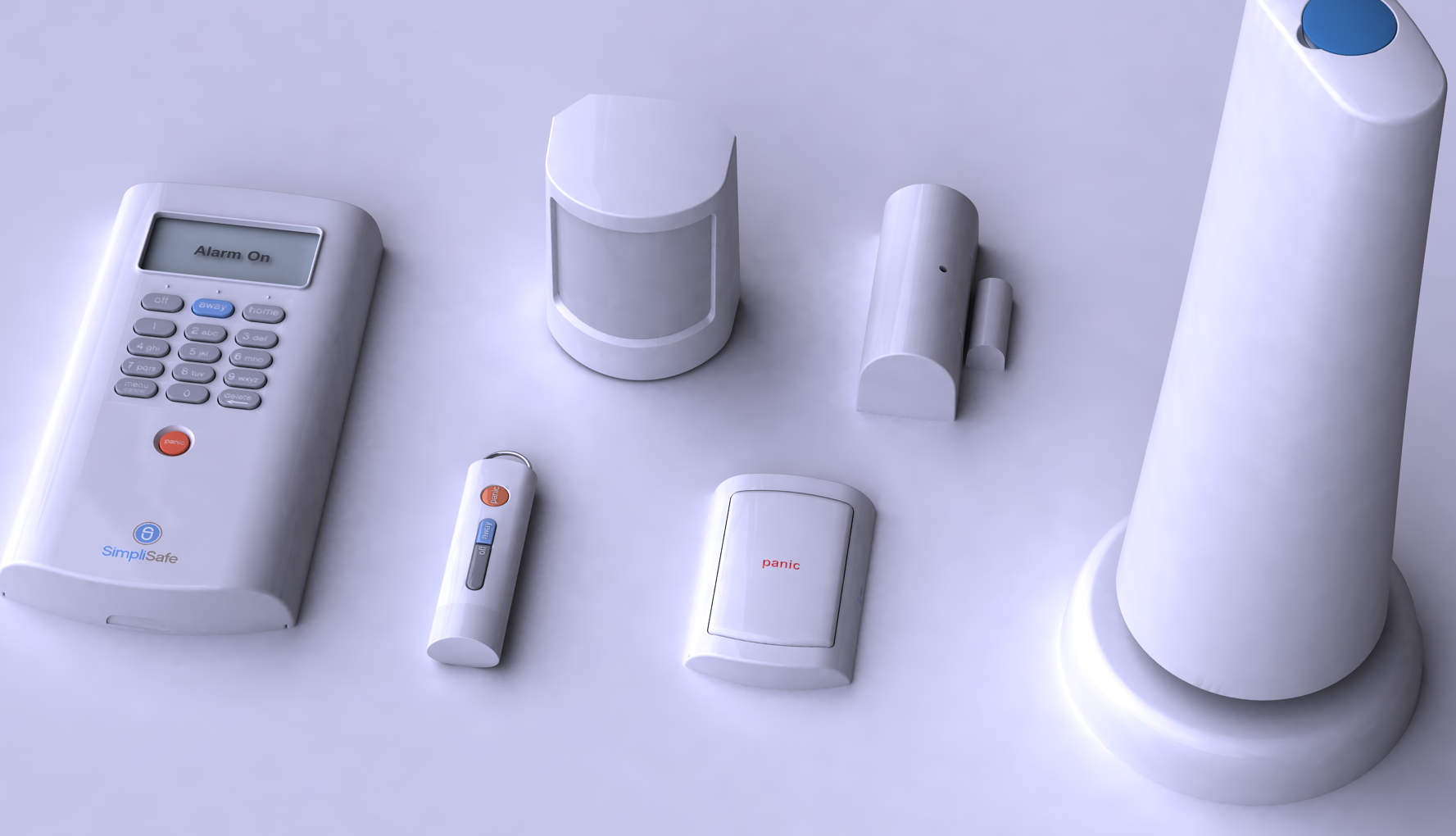 I am a big fan of home security systems. I am not a big fan of the installation process, the complexity of the systems, or the pricing. I am glad I found SimpliSafe because it solves most of these problems. The pricing of the equipment is reasonable, the equipment is wireless so setup is simple and a technician is not required. The best part is that the basic service is only $15/month and no contract is required. My only complaint is that some of the more advanced features (being a “techie” I would like to use) cost an additional $10/month. I’ve not found that these features are worth the extra $10/month so far. Most people would probably not need those features, so it isn’t really a huge problem. I’ve read rumors that the next generation of SimpliSafe equipment will be much more advanced. I can’t wait to find out. Home security systems may not be a traditional Christmas gift, but if you at least let your friends and family know about SimpliSafe before they buy a traditional home security system, it may be the best gift you could give them!
Plantronics Voyager Legend
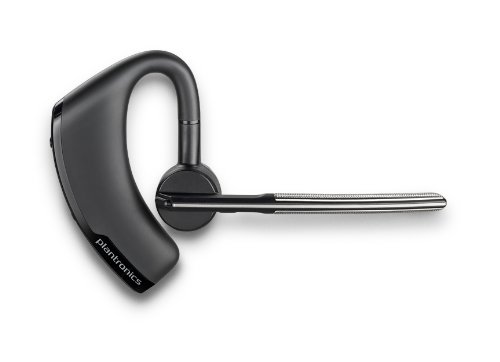 I wrote a review of the Plantronics Voyager Legend Bluetooth headset earlier this year. Six months later and I’m still very happy with the device. I can say it worked really well on my iPhone 5S and so far just as well on my newer iPhone 6. I have had clients say they’ve noticed an improvement in call quality, which is an excellent proof that this headset is doing its job well. I can find the Plantronics Voyager Legend on sale for around $80, which is a really great price for the quality of headset. Read my more extensive review on the Plantronics Voyager Legend and if you have someone that could use a Bluetooth headset, this could make a very good gift.
Smartbean Bluetooth Wireless Receiver
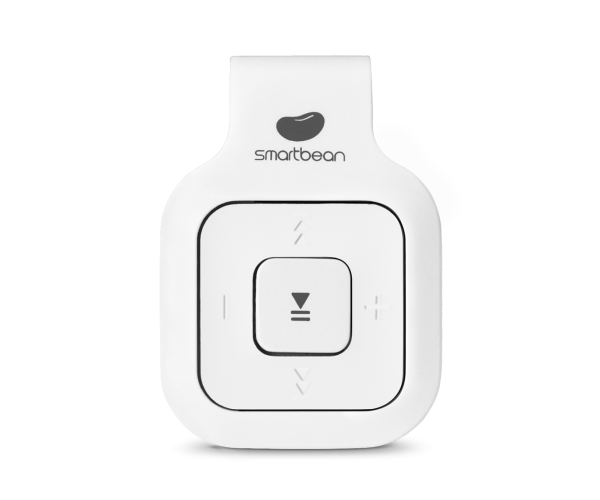 When I purchased my iPhone 5S last year, I had to change how my iPhone connected to my car. My previous charger also integrated audio to my car stereo directly. However, there was no equivalent device available for a new iPhones with Lightning connectors. So for a time I had to also connect an audio cable to my iPhone if I wanted to listed to music from my iPhone in my car. This was a bit of a pain. I wanted something that would let me stream my music from my iPhone 5S (and now iPhone 6) to my car stereo without wires. And I didn’t want to purchase a new stereo receiver for my car (at least not yet). I stumbled upon a deal on the Smartbean Bluetooth wireless receiver. Simply put, I can keep the Smartbean connected to my car stereo and send music from my iPhone via Bluetooth to my car stereo. After several months of using it, I can say it does the job very well, with a few minor inconveniences. The biggest issue I have with the Smartbean is that I can not easily charge it in the car. I need to bring it inside to charge it when it runs low on battery. However, the battery lasts several weeks between charges so it’s not a huge deal. The Smartbean (also known as the A.M.P. Bluetooth Receiver) lists at $39.99, but you can usually find it on sale for half that price (check Groupon), so find a deal before purchasing. The Smartbean makes a great gift for people to use in cars as I do, but also people who are into fitness, as the Smartbean can clip to clothing for use with wired headsets.
Limefuel Blast
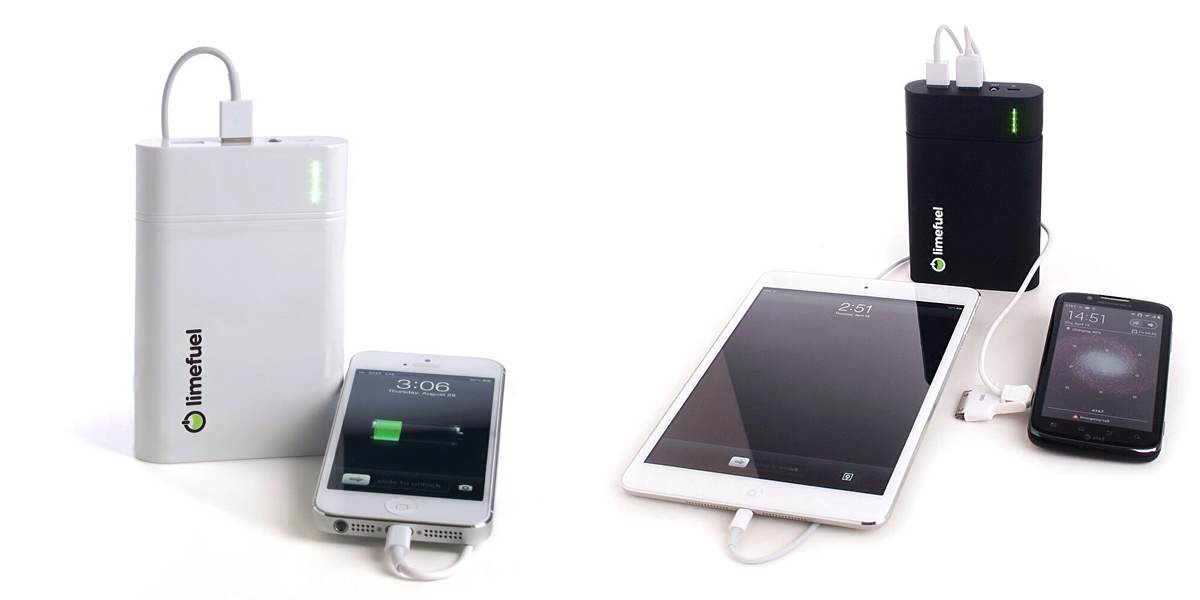 On a few occasions in the last couple of years, my iPhone ran out of battery. This is a rare occurrence, but when it happens, it is a real pain, especially while traveling away from home. On those occasions that my iPhone was running out of charge, all my travel companions were also running out of battery. I wanted to find a device that could recharge my iPhone while on-the-go, but also be powerful enough to recharge multiple smartphones. I did some research and was finding products that were simply too expensive for my wishes. I did a little more research and found the Limefuel company. Their battery-based external USB chargers had larger capacities and were about half the price of the other devices I was finding. I decided on purchasing the Limefuel Blast L130X, which I liked so much, I went ahead and bought two so that my wife could have one in her car as well. So far, after many months of using the Limefuel Blast, I am very happy with the purchase. It has come in very handy on several occasions and often my friends are using it more than I am. I make sure to send one with my daughters if they are going on a field trip and they end up sharing it with their friends as well. Limefuel has improved upon the model I purchased and it the now has 4 ports that can simultaneously charge multiple devices. The Limefuel Blast makes an amazing gift for people who travel a lot, especially those who go to remote locations.
Crucial M100 Solid State Drives
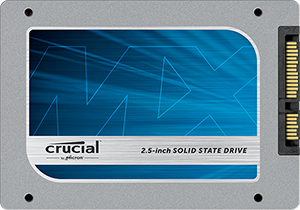 There have been few advances in computer technology in the last 10 or more years that have had the impact of Solid State Drives (SSD). Simply put, replacing a traditional hard drive with a solid state drive can significantly boost the performance of a computer, especially those that are more than a few years old. In addition, solid state drives are more reliable and use less power than hard drives. The only problem with solid state drives was that they were significantly more expensive than hard drives. However, earlier this year, Crucial introduced their M100 line of SSDs, which basically slashed the going price in half! Other companies have begun to drop their prices in response, but Crucial is a great brand with a great product. If you know someone with a computer, especially laptops, that are more than a couple of years old, an SSD upgrade could be like giving them a new, faster computer. Plus, since the computer no longer has a hard drive, an SSD upgrade will likely extend the lifespan of the computer for several more years. An SSD may not be the flashiest gift, but it may be the most practical, especially when combined with my Laptop Supercharge service.
I Know You’re Not Using Handsfree While Driving! Review of Plantronics Voyager Legend
 I can see you! Yeah, you in the car! You’re holding up your cellphone to your ear while driving! In the State of Illinois where I live, this was made illegal at the first of the year. Yet you’re still doing it. If I’m seeing you do it, you can be sure the police can see you as well. Enforcement has started in earnest and it’s a easy ticket to write. I personally know some people that have been recently cited for it. The sad part is that for the cost of the ticket, they could have purchased a handsfree device and avoided the hassle. So here is my gentle reminder to you – get a handsfree device before you get pulled over. Besides, it really is safer because I know some of you have trouble driving even with both hands on the wheel!
To help you out, please review the article I wrote earlier in the year about choosing a handsfree device. But as an update to that article, I wanted to share with you a review of my new handsfree device. I’ve been using it about 6 weeks now so I think I have a very good handle on it.
My previous Bluetooth headset was a Jawbone Era. Overall it worked well enough, but I was becoming irritated with a few quirks of the device when using it with my iPhone. They were infrequent enough that I wasn’t exactly in the market for a new headset, but I had found one in my normal course of technology research that seemed promising. When I found out that Best Buy had a sale running on that particular unit, I went ahead and jumped at the opportunity to get one.
The Plantronics Voyager Legend is an over-the-ear style headset. I tend to like over-the-ear headsets, but I know some others don’t. Still, even if you haven’t been a fan of over-the-ear styles before, I would suggest that you give the Voyager Legend a try before you dismiss it. The reason I like the over-the-ear style is because these devices tend to stay put on my ear better. With the Voyager Legend, the weight is so evenly distributed that I have often forgot it was on. Sometimes I even forget that I have taken it off, which is a weird phenomenon, but I attribute it to the fact it is so comfortable that my body can’t really tell the difference when it is on or off. Also, the way the device is designed, most of the bulk is in the part of the device behind the ear. There is only a thin microphone that extends from your ear, so overall I think the device is quite understated. In other words, you don’t look like a Borg while wearing it as some Bluetooth headsets might tend towards.
That being said, what really matters with a Bluetooth headset is the sound quality of the call. The biggest critic I know is my wife, whom I tend to talk to quite frequently over the phone. She immediately said the Voyager Legend did a much better job of reducing ambient noise. In fact, I can have the windows of my car rolled down some and she can’t hear it, even at highway speeds. About the only problem with the noise reduction is wind is blowing directly on the headset. Unfortunately direct wind noise is something that no headset seems to be able to deal well with. Also, the Voyager Legend seems to pick up the sounds from something like a Radar detector, which drives my wife crazy. Other than those quirks, the sound quality seems to be excellent, as the callers on the other end can hear me clearly and distinctly with virtually no background noise. As I said in my previous article, this is extremely important to me since I use my phone for business.
The “quirks” that I had endured with the Jawbone Era I’m thankful to say do not exist with the Voyager Legend. The biggest thing that was a problem was that the Jawbone Era would at times “flake out” when making or answering a call. In other words, I would make a call or answer my phone, but the sound didn’t work. So I didn’t know that someone else had picked up the call I made or I wouldn’t hear anybody on the other end. Similarly, it would seem that on occasion I could hear someone but the other person couldn’t hear me. I had to shut off my Jawbone Era and turn it back on to fix the problem. This was obviously not cool when I was driving. Additionally, there were times where the caller on the other end could hear me, but the sound quality was very garbled. This was especially true in my home office, where I have been spending more time lately working on Web Site projects. That area of my house unfortunately has low cell phone coverage and somehow that seemed to affect the performance of the Jawbone Era. I have not experienced these problems with my new Voyager Legend. About the only quirk I have experienced is that occasionally if I hold down the button on the headset to give voice commands to my iPhone, the Voyager Legend doesn’t always activate Siri. It has only happened a few times and it isn’t enough of a problem to be a big nuisance.
A couple of nice features about the Voyager Legend that I like is that I can answer a call by simply saying “answer” or ignore the call by saying “ignore”. This feature so far has worked flawlessly for me. Also, if you are not wearing the headset when a call comes in, simply putting it on automatically answers the call. That is a nice feature that I’ve found convenient. The battery life is also excellent, as it features 7 hours of talk time. For my usage, I can forget to charge the Voyager Legend for a day or two and still have enough battery life to make it through a third day. The magnetic charger included with the headset is a nice touch, although I don’t find it as secure fitting as say the Apple Magsafe or even the magnetic chargers that came with some older Jawbone models.
Normally the Plantronics Voyager Legend is $99. However, I found it on sale for $79 at Best Buy when I bought it. Regardless $99 is actually a good price for a Bluetooth Headset of this quality, as many comparable models go up to $120 or even $150. Beyond my personal experience, the headset has been well-reviewed by many other sources. So I wouldn’t hesitate to recommend it for purchase, especially if one can find a good sale on it. As usual with any Bluetooth headset, make sure you purchase it from a retailer that offers a liberal return policy in case the headset just doesn’t quite work for you.
Are you still ducking the new handsfree laws? What are your favorite handsfree devices?
Holiday Tech Toys 2013
It’s that time of year again! The holiday season means gift-giving and technology gifts are hotter than ever. My Holiday Tech Toys list is in its seventh year and I like to list some of the best tech items to give – or get! But first one quick tip on technology gift buying: do not open any technology gift you give until you give the gift and the recipient is completely sure they want to keep the item. I know some people like to personalize gifts by placing cards or such inside the boxes of gifts, but with most technology gifts, opening them restricts your return options. An unopened tech gift usually can be returned for a full refund or exchange, but opened items are usually subject to a restocking fee. Keeping that in mind, take a look at this year’s Holiday Tech Toys and if you have any questions about holiday tech gifts, please get in contact with me.
iPad Air/iPad Mini & iPhone, iPod Touch

The iPad has been one of the hottest tech gifts ever, especially since the iPad Mini was introduced last year. With the upgraded iPad Air and the new iPad Mini with Retina Display, the trend is sure to continue. The iPad Mini makes a great gift for kids since it can be used for educational purposes as well as for fun. However, rumors are that the new iPad Mini with Retina Display will be in short supply this holiday season, so shop early! Alternately, the iPod Touch is like a “mini” iPad mini in case you have a younger person on your gift list who wants an iOS device. Of course the iPhone is still a hot gift, especially with the new iPhone 5C and iPhone 5S models, but make sure you are getting the person exactly what they want.
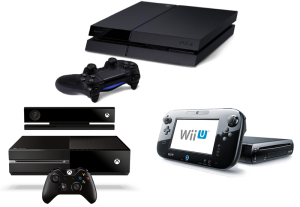
Nintendo Wii U, Sony Playstation 4, Microsoft Xbox One
The new 8th generation video game consoles are all ready for purchase just in time for the holidays! If you are buying for someone, make sure you know which platform is their favorite. However, note that the prices are quite different this year. The Nintendo Wii U starts at $299, Sony Playstation 4 $399, and Microsoft Xbox One $499. I’m finding it hard to believe that parents are willing to spend $399, yet alone $499 on a video game console, so I have a feeling that many people will be passing on the more expensive consoles this year until the inevitable price drop that usually occurs. But if you have a hardcore gamer on your gift-giving list and they want one of these consoles, shop early as oftentimes new game consoles are hard to get.
 Nest Learning Thermostat
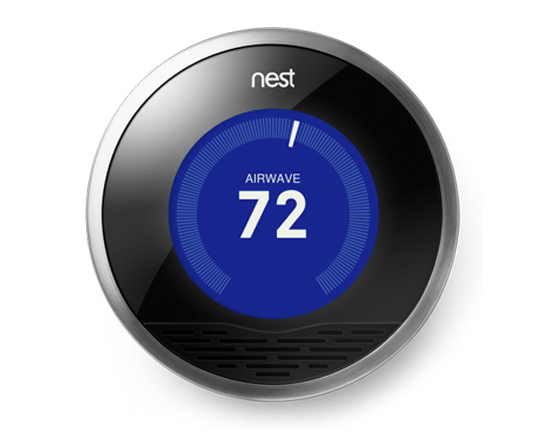
I reviewed the Nest Learning Thermostat last year, but it is still a great gift this year because it is an excellent example of a mainstream application of technology – and it can save its users a lot of money. Who wouldn’t want a thermostat that can be controlled from a smartphone even when you’re not home? Plus it “knows” when you leave the house so it can save energy. Read my review of the Next from last year.

Leap Motion Controller
The Leap Motion Controller is a little on the techie side, but in the right hands (literally), it could be an excellent gift. The Leap is a small box that sits in front of your monitor and you can then move your hands in the air to control your computer. It may take a while for more apps to be written to take full advantage of the technology, but I believe that the technology of the Leap will have a place in the future of computing. If you have someone on your gift-giving list that is a forward-thinking techie type, check out the Leap. Read my preview of the Leap I wrote last year.
 Fitbit, Jawbone Up, Lark

Personal activity and sleep trackers are a growing trend. They integrate with an App on your mobile device and help you keep track of sleep and fitness goals. Plus they have silent vibrating alarm clocks so that you can wake yourself up without disturbing your sleeping partner. The various models of Fitbit, the Jawbone Up, and the Lark are examples of this type of technology. Check them out and buy one for for your sleeping partner – or maybe do them a favor and buy one for yourself!
GoPro & MeCam

“Action” cameras are getting very popular and no brand epitomizes the category more than GoPro. If you know someone in the market for a video camera, the GoPro is worth looking at if you think they ever want to shoot video from their own perspective or from something like a bike or surfboard. If the GoPro is too far out of your budget, take a look at the MeCam for a less feature-filled but more affordable option. The MeCam isn’t ruggedized or waterproof like the GoPro line of cameras, but they are wearable and are good for more casual uses or maybe for younger children who aren’t going to be doing “extreme” videos.
Koomus K2 Smartphone Car Mount
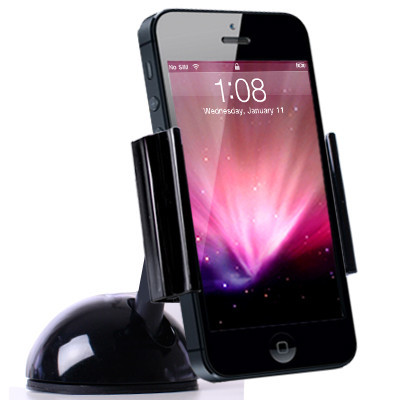
With as much as we do with our smartphones in the car, I think having a dashboard or windshield mount is critical. They allow you to have your smartphone in plain sight and easy reach, similar to (but even better than) your car’s radio. The key is finding a good mount that will solidly hold your phone but doesn’t break the bank. After much research I believe I have found a good option that is also a good value. The Koomus K2 is an affordable mount that will securely lock down your smartphone to either your dashboard or windshield and is easy to get your smartphone in and out of. It works with multiple types and sizes of smartphones. I’ve been using mine since I had to get a new mount to fit my iPhone 5S a few months ago. So far, I’ve been very happy with the Koomus K2, although my own car was a bit of a challenge to securely place the mount at first. The Koomus K2 comes in black or white to match your smartphone.
Doorbot
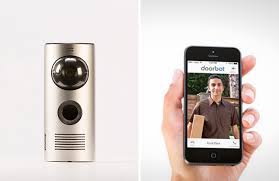
It’s about time we had an upgrade to the traditional doorbell. The Doorbot allows you to see who is ringing your doorbell through your smartphone. You don’t even need to be home. Doorbot could be a solution for those who would like a simple way to keep an eye on who is visiting their home without investing in an expensive security camera system.
 Apple MacBook, iMac, Mac Mini

For some, a traditional personal computer is still a gift they need to receive. With all the uncertainty about Windows, not to mention the increasingly destructive malware continuing to plague the platform, Apple’s Macintosh computers are probably the safest bet as a quality laptop or desktop gift. Many people aren’t aware that Macintosh computers can run Windows software if necessary, so you aren’t limiting yourself or a gift recipient when buying a Mac – rather you are giving them the most options possible. Plus since Macs are virtually immune to the onslaught of malware, a Mac can pay for itself over time in greatly reduced service calls. The MacBook Air and MacBook Pro are Apple’s line of laptops, while the iMac is Apple’s main desktop line. If you’re looking for a Mac on a budget, the Mac Mini can fit the bill nicely. If you are buying a Mac for someone, try to get as much information as possible on which Mac would be best for them and consult with a knowledgeable Mac expert before buying. Also, as I said above, do not open the packaging until the gift recipient is completely sure they want the Mac you purchased them in case you need to return the item.
 Etón BoostTurbine 4000
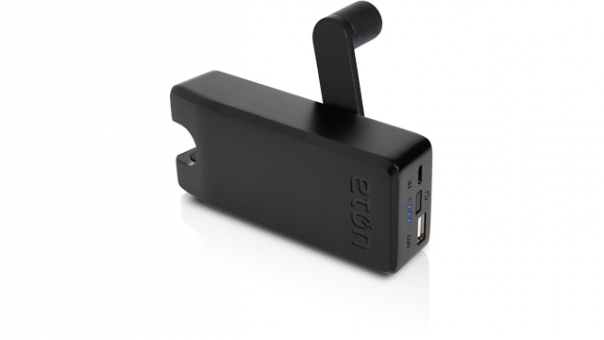
As we become increasingly dependent on our mobile devices, getting caught with a dead battery can be a big problem. There are many models of portable “spare” batteries that can be used to recharge on the go. The problem is that we need to remember to recharge our spare batteries – they do us no good if they are also drained. However, the Etón BoostTurbine 4000 includes a wind-up turbine that we can use in a pinch to give ourselves a few precious percents of battery power. Simple but effective. I now have a way to survive in case of the apocalypse.